
 Need help?
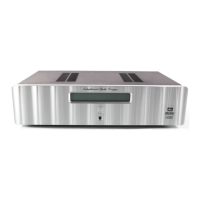
Do you have a question about the Enlightened Audio Designs TheaterMaster and is the answer not in the manual?
Details the items included in the TheaterMaster package and initial handling.
Lists required external audio and video sources and speakers for operation.
Provides guidance on physically connecting speakers and power amplifiers.
Instructions for disabling the LFE subwoofer for systems without one.
Enables a mode for systems lacking a center speaker.
Enables a mode for systems lacking rear surround speakers.
Guides on enabling balanced audio outputs for specific models.
Prevents feedback by teaching the unit not to accept specific tape inputs.
Automates video input selection based on the selected audio input.
Sets up digital crossovers to manage bass frequencies for speakers.
Automated system calibration for speaker levels, delays, and phase.
Manually calibrates speaker levels using a built-in noise sequencer.
Manually adjusts left-right channel balance using static noise.
Manually calibrates speaker time alignment using measured distances.
Instructions for turning the unit on and off, and exiting standby mode.
Guides on choosing digital audio sources for playback.
Guides on choosing analog audio sources for playback.
Selects sources for tape recording or a secondary audio zone.
Guides on selecting video sources for display.
Selects different surround sound or stereo playback modes.
Controls the master volume level for listening.
Fine-tunes volume levels for each speaker for personal preference.
Temporarily silences the audio output.
Puts the unit into a low-power state when not in use.
Displays audio levels for the front channels during stereo playback.
Applies a filter to reduce excessive brightness in movie soundtracks.
Compresses dynamic range for softer late-night listening.
Adjusts volume levels for consistent dialog audibility across programs.
Enables automatic detection and decoding of HDCD encoded music discs.
Adjusts the front panel display brightness.
Provides a 12V output for controlling other devices like screens.
Connects recording devices to digital or analog tape/monitor outputs.
Details controlling the unit via an RS-232 serial port.
Enhances vertical picture resolution using the SwitchMaster accessory.
Displays diagnostic information about incoming digital audio streams.
Monitors the internal operating temperature of the unit.
Summary of TheaterMaster's DIP switch functions and settings.
Assigns custom labels to audio/video inputs for easy identification.
Saves and recalls different system configurations for various listening preferences.
Resets all system settings to their original factory default state.
Introduces the included touch-screen learning remote control.
Enables the unit to learn IR codes from other remote controls.
Checks if IR codes have been programmed correctly into the unit.
Describes the optional video switcher accessory for enhanced video switching.
Explains the RF demodulator for converting AC-3 RF signals.
 General
| Brand | Enlightened Audio Designs |
|---|---|
| Model | TheaterMaster |
| Category | Media Converter |
| Language | English |

 To Next Page