B ) Log in to the Enphase Installer App on your mobile device and down-
load the latest version of IQ Gateway software. Go to the “Settings”
tab in the Enphase Installer App and use the “Update Now” button
under IQ Gateway Software.
C ) After the IQ Gateway update to version 8.1 or higher, connect the
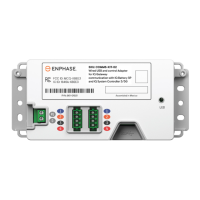
Communications Kit 2 to the IQ Gateway to ensure that it is identied
as a component at this site along with other components of the
Enphase Energy System.
D ) Verify the devices are connected by navigating to:
“Devices” > “IQ Battery” > <serial number> or
“Devices” > “IQ System Controller” > <serial number>
The LED on Communications Kit 2 indicates the connectivity status.
The various LED states are below:
Connecting to IQ Gateway software
The Communications Kit 2 needs IQ Gateway software version 8.1 or
higher to work with other Enphase Energy System components.
A ) Download the Enphase Installer App mobile application from iOS
App Store or Android Play Store and open it to log in to your Enphase
Installer App account. This app lets you connect to the IQ Gateway
to track system installation progress. You may also download the app
from the Enphase website at enphase.com/toolkit.
4
LED state Event
Red ERROR (Control or BUS
error)
Blinking green Communications Kit rm-
ware update
Green Communications Kit is oper-
ational
Blue No USB communication
Safety instructions
+
DANGER: Risk of electric shock. Risk of re. Only qualied personnel
should troubleshoot, install, or add parts to the IQ Gateway.
+
DANGER: Risk of electric shock. Risk of re. Ensure that all wiring is
correct and that none of the wires are pinched or damaged.
✓
NOTE: Do not attempt to repair the Communications Kit 2. It contains no
user-serviceable parts. If the equipment fails, contact Enphase custom-
er support for assistance or replacement equipment.
✓
NOTE: Using unapproved attachments or accessories could result in
damage or injury.
FCC Statement: This equipment has been tested and found to comply with the limits
for a Class B digital device, pursuant to part 15 of the FCC Rules. These limits are de-
signed to provide reasonable protection against harmful interference in a residential
installation. This equipment generates, uses and can radiate radio frequency energy
and, if not installed and used in accordance with the instructions, may cause harmful
interference to radio communications. However, there is no guarantee that interfer-
ence will not occur in a particular installation. If this equipment does cause harmful
interference to radio or television reception, which can be determined by turning the
equipment o and on, you are encouraged to try to correct the interference by one
or more of the following measures:
- Reorient or relocate the receiving antenna.
- Increase the separation between the equipment and the receiver.
- Connect the equipment into an outlet on a circuit dierent from that
to which the receiver is connected.
- Consult the dealer or an experienced radio/TV technician for help.
Changes or modications not expressly approved by the party responsible for com-
pliance may void the user’s authority to operate the equipment.
This Class B digital apparatus complies with Industry Canada ICES-003.
SAFETY
IMPORTANT SAFETY INSTRUCTIONS. SAVE THESE INSTRUCTIONS.
Follow these important instructions during the installation and mainte-
nance of the Communications Kit 2.
Safety and advisory symbols
+
DANGER: This indicates a hazardous situation, which if not avoided,
will result in death or serious injury.
*
WARNING: This indicates a situation where failure to follow instruc-
tions may be a safety hazard or cause equipment malfunction. Use
extreme caution and follow instructions carefully.
✓
NOTE: This indicates information essential for optimal system opera-
tion. Follow instructions carefully.
Enphase customer support: https://enphase.com/contact/support
Revision history
REVISION DATE DESCRIPTION
140-00320-02 July 2023
Envoy S Metered wiring
instruction included
140-00320-01 May 2023 Initial release


 To Previous Page
 Loading...