HARDWARE IS YOUR EXCELLENCE
WWW
.ENSOTECH.LTD
Unit F, 6 Floor, Cheung Hing Shing Centre, No.23, Sha Tsui Road, Tsuen Wan,
New Territories, Hong Kong
10
SENSORS RECOGNITION SYSTEM
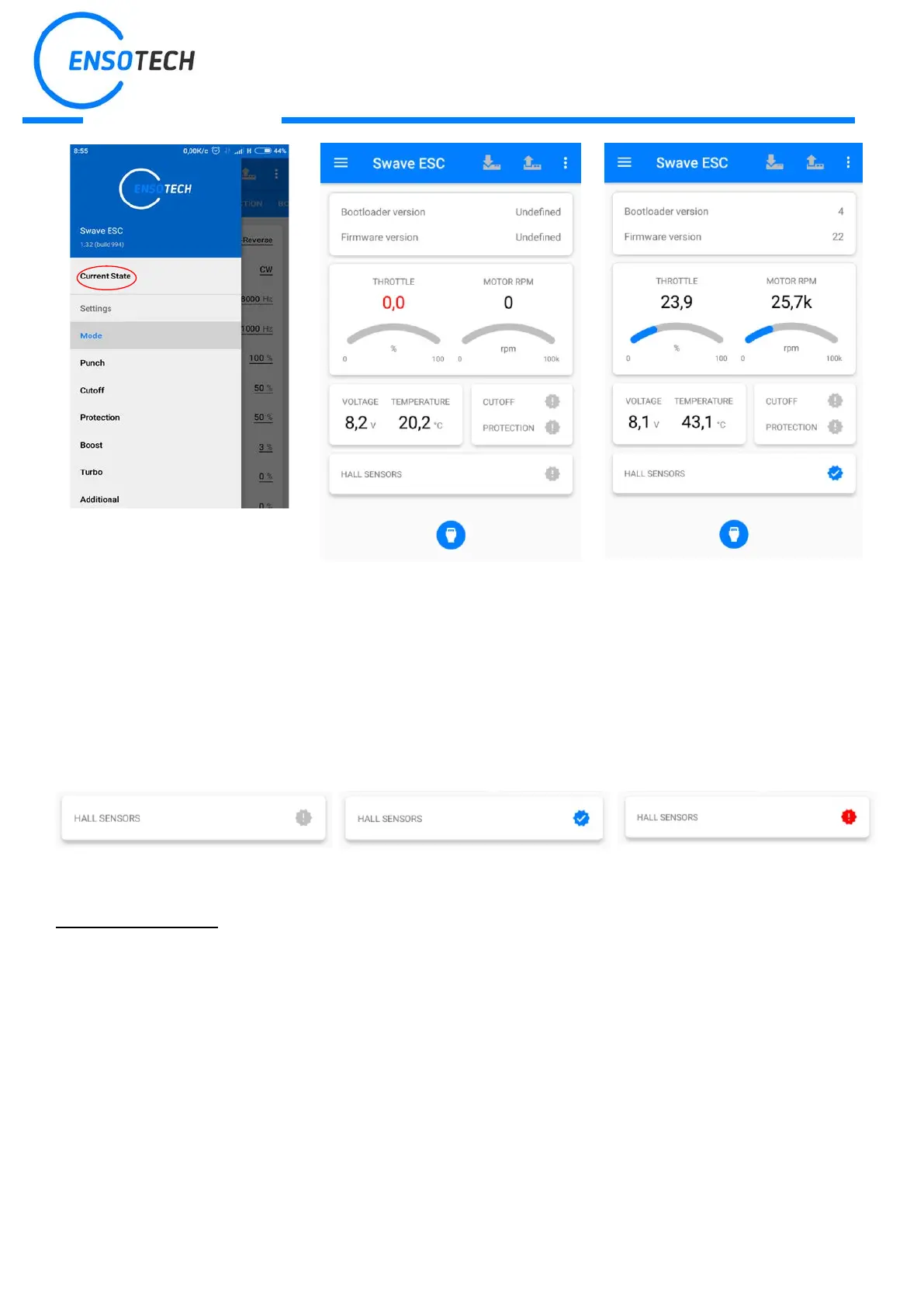
Swave E ESC has sensors recognition system. So, if you connect sensor cable to ESC the hall sensors icon will still
grey. Then if you push throttle with connected sensor cable and all is correct sensors icon becomes blue. If something
is wrong ESC detects the error and show warning icon, also, red led will ON
Initial sensor connection or sensorless
mode
Working on sensor mode Error with sensor
ESC LED INDICATION
-Red led is failure indicator, there are several events that may cause red LED turn on.
-Throttle receiver is disconnected or was not calibrated – RED LED is constant ON
-Cut Off issue occurs – RED LED blinks
-Protection issue occurs – RED LED is constant ON
-Sensor issue occurs – RED LED blinks
-Blue led indicates the status of the device, if it is constant ON or blinks your device works normal otherwise try to
update it. If Update does not help, connect our support team: support@ensotech.ltd or contact your dealers.
-Turbo timing advance and Boost timing advance are BOTH zero – BLUE led blinks otherwise it is constant ON


 To Next Page
 Loading...