4
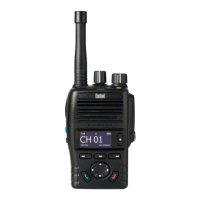
1.3 CONTROLS AND INDICATORS
ON/OFF BUTTON
Momentarily press to switch on. Press and hold to switch off.
PUSH TO TALK SWITCH
Hold down to transmit, release to receive.
UP/DOWN buttons
Select the desired channel by pressing the UP/DOWN buttons.
For fast channel selection hold down for more than 1 second.
LAMP/LOCK button
P1 & P2 buttons
Dealer programmable.
button
Enter/Select.
1.
3.
4.
5.
6.
7.
Momentarily press to turn backlight on/off. Press and hold to turn
backlight on / off. Press and hold to turn monitor on / off.
VOLUME CONTROL
2.
Rotate clockwise to increase received volume. Rotate
anticlockwise to reduce received volume.
M button
Menu select button.
8.
MON buttons
Dealer programmable.
ANTENNA
Connects the supplied flexible antenna or an optional external
aerial adaptor
BATTERY
Rechargeable Lithium-lon battery packs.
ACCESSORY SOCKET
To connect to an Entel approved audio accessory
9.
10.
11.
12.
Models suffixed S have alternative frequency ranges but are identical in
operation to the models without the suffix.



 To Next Page