7TI0075 - Expanse Table Installation Instructions
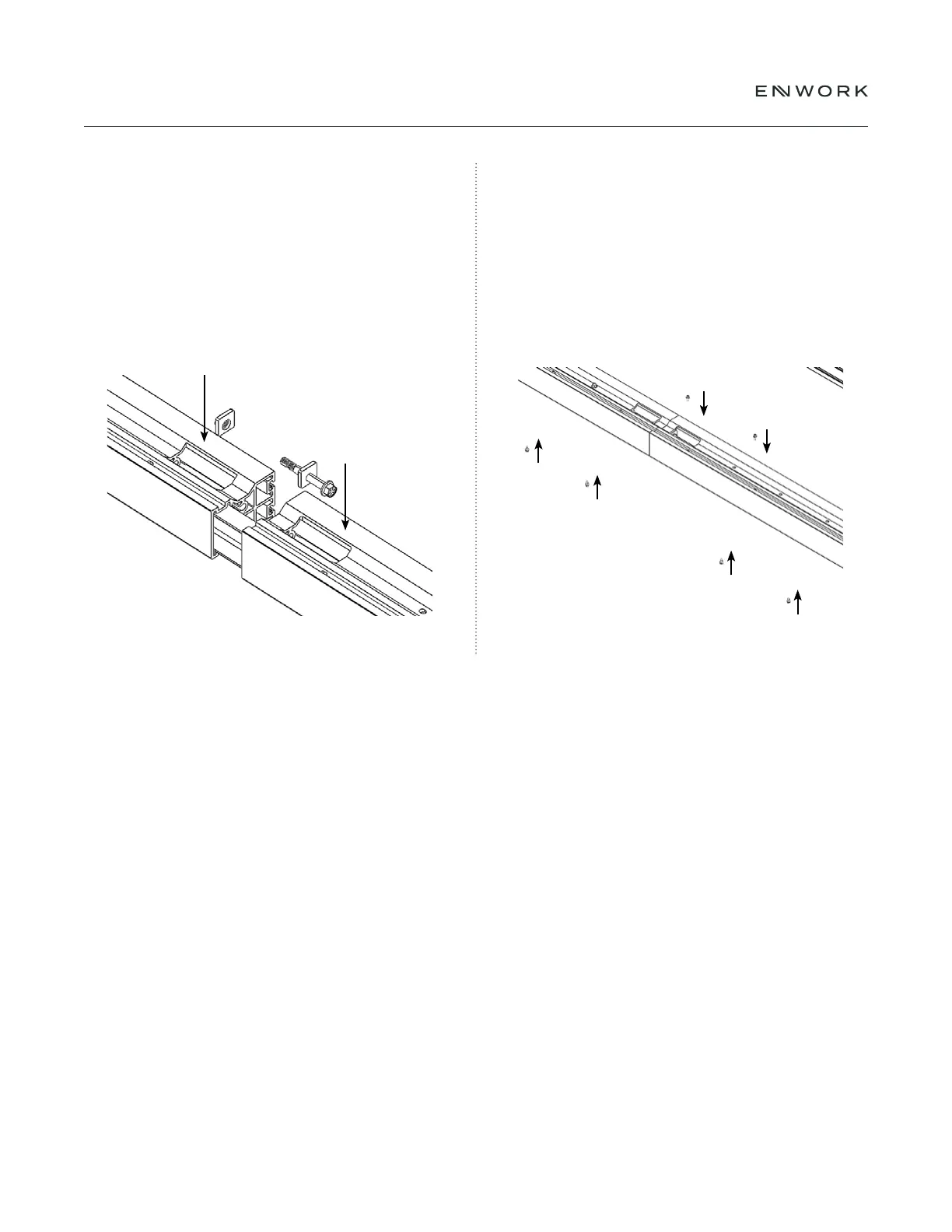
Slide the next extrusion on to the C-Channel.
Assemble (1) Draw Plate 1, (1) Draw Plate 2
and (1) .50 -13 X 4.00" bolt into each Extrusion
connection hole and loosely tighten so the
extrusions line up ush on all sides.
Note: The extrusions must be aligned and square before they
are fully tightening. Adjust as necessary while tightening.
Once the Draw Plates are fully tightened, Fully tighten
the (2) .25-20 x .50" on top of the extrusion and
install and fully tighten (6) .25-20 x .50" into the top
and bottom of the extrusion (as shown in Fig 4.5).
Note: Depending on table length, Left & Right
Extrusions may be assembled at this point.
4.5
4.6
4 — EXTRUSION ASSEMBLY


 To Next Page