17
INSTALLATION GUIDE
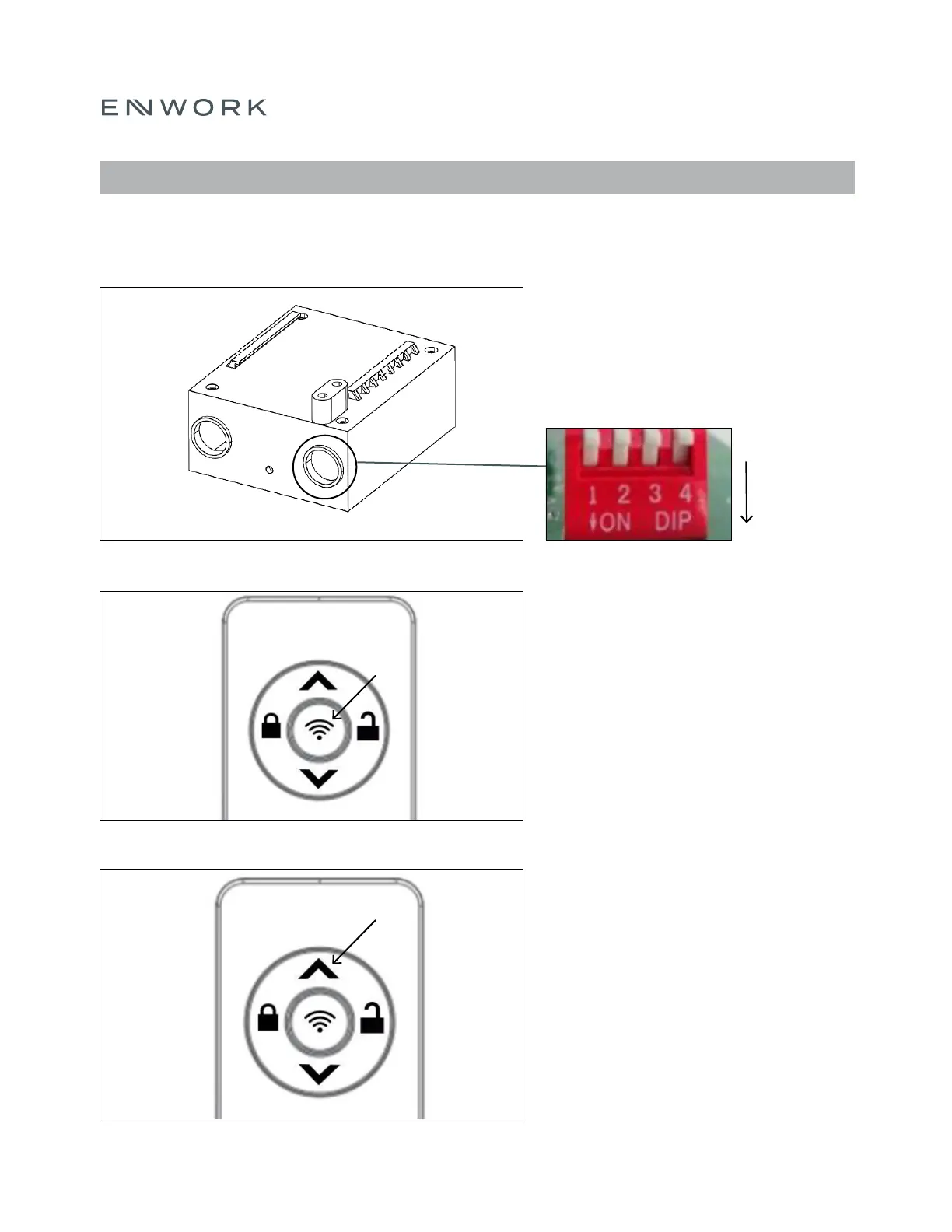
Set the same DIP switch on each Control
Box in the classroom by pressing down on
the switches. Refer to page 18 Figure 7.4 for
address combinations.
Note: The DIP switch sets the address of the
control box for the remote to pair to.
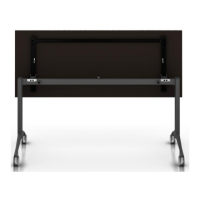
Press and hold the center button for 3 seconds
until the backlight ashes. If paired successfully
you will hear a ‘clicking’ sound from the Lifting
Columns. If not, repeat this step.
Note: The remote has 16 addresses in total, so
this step may need to be repeated 16 times.
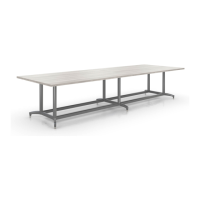
Press the up or down button once to operate
the tables.
Note: Whilst the Lifting Columns are in
motion, press either the up or down button
and the motion will stop.
FIGURE 7.1
FIGURE 7.2
FIGURE 7.3
7) ASSEMBLY: PAIRING AND OPERATION


 To Next Page