6
INSTALLATION GUIDE
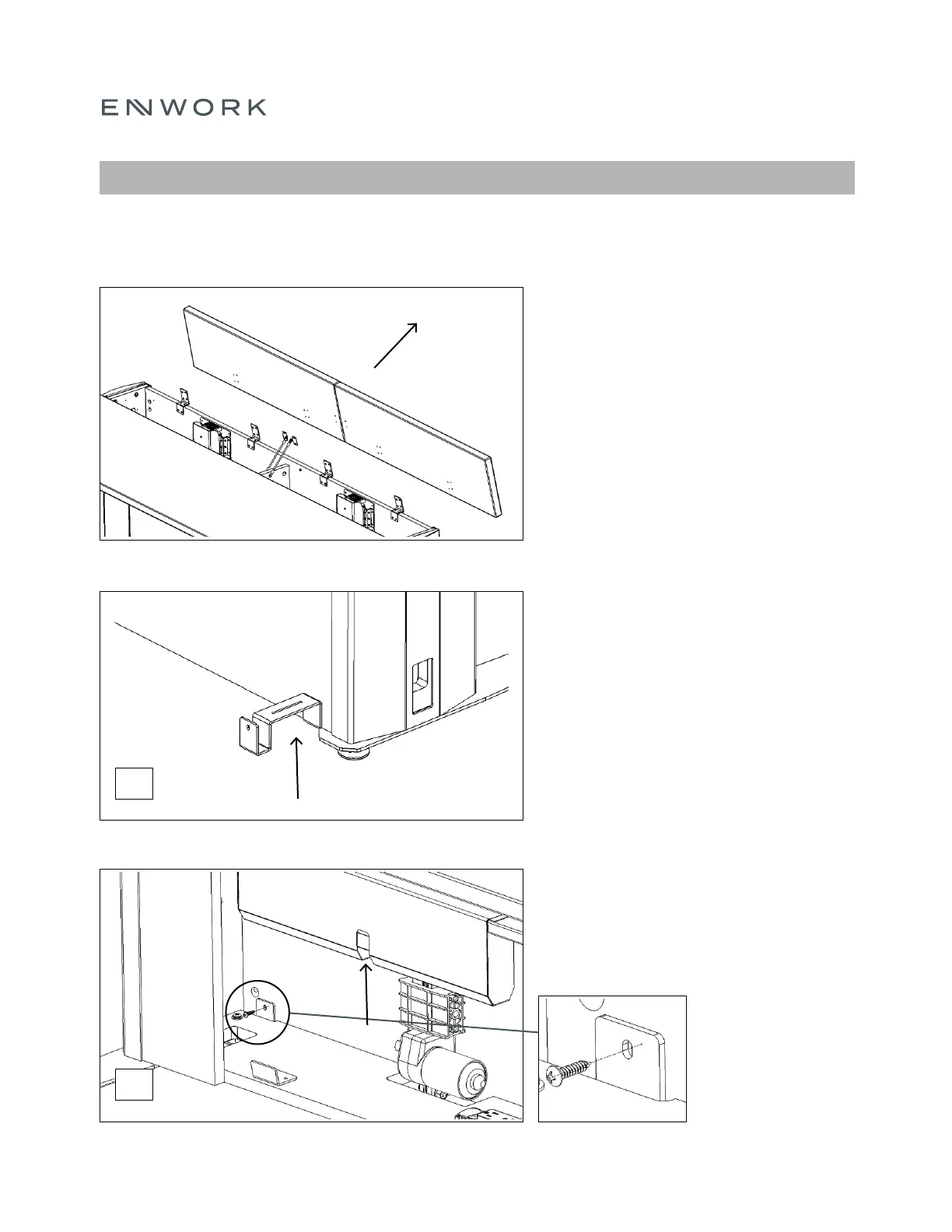
Remove all the Surface Lids.
Note: Set aside hardware as it will be used again.
Slightly lifting the Table, locate the Ganging Bracket
under the back panel of the case assembly.
Note: There is a slot in the bottom panel to accept
this bracket. Someone will need to hold it in place
to proceed to step 3.
Secure the bottom Ganging Bracket using the
provided #8 x ¾” Pan Head Phillips screws.
Note: There is a pilot hole to locate position.
You may need to raise the Lifting Column to
access the hole.
FIGURE 4.1
FIGURE 4.2
FIGURE 4.3
4) ASSEMBLY: GANGING
2x
2x


 To Next Page