9
▲
▲
▲
▲
●
●
●
●
●
●
●
●
●
●
In disc, SD card or USB play, press this key to enter DVD system setting.
17. [ ]/[ ] Previous/Next
This key has the same function as key 11 and key 12 introduced on page 8.
(please refer to page 8)
18. [SEL] Sound Feature Setting
Repeatedly press this key to select the wanted sound feature and set the
selected mode.
19. [SUB-T] Subtitle
In USB, SD card and DVD play, press this key to show the subtitle. This key is
invalid without the support of the program source.
20. [MENU] Menu Key
In DVD disc play, press this key to return to the main menu.
In VCD disc play, this key functions as PBC menu On/Off.
21. [TIME] Time Key
In play state, press this key to show the time and press it again to conceal the
time.
22. [TITLE] Title Play
In disc play, press this key to return to the disk title.
23. [ ]/[ ] Up or Down Arrow Key
In USB or SD card play, press this key for upward or downward program
selection.
24. [ANGLE] Angle Play Key
In DVD, USB or SD card play, press this key to switch angle play. This key is
invalid without the support of the program source.11
25. [ ] Auto Browse Memory/Replay
▲
▲
▲
▲
AMS
RPT
●
●
●
●
●
●
●
In radio state, press this key to browse memorized channels; hold down it for
automatic scanning.
In the state of TV, press this key to scan automatically.
In disc, SD card or USB play, press to realize the following
cycle: repeat single repeat catalog→ repeat the whole
disc→ cancel repeating
26. [BAND]
This key has the same function as the [BAND] key on the panel (please refer to
[BAND] key function on page 7).
27. [RADIO]
In other play states, press this key to enter radio state.
28. Mute Key
Press this key to enter mute state.
29. [ ] Page Screen Upward
Press this key to page the screen upward.
(Note: valid for adjustable screen angles)
30. [ ] Page Screen Downward
Press this key to page the screen downward. (Note: valid for adjustable screen
angles).
→
22
Press ▼
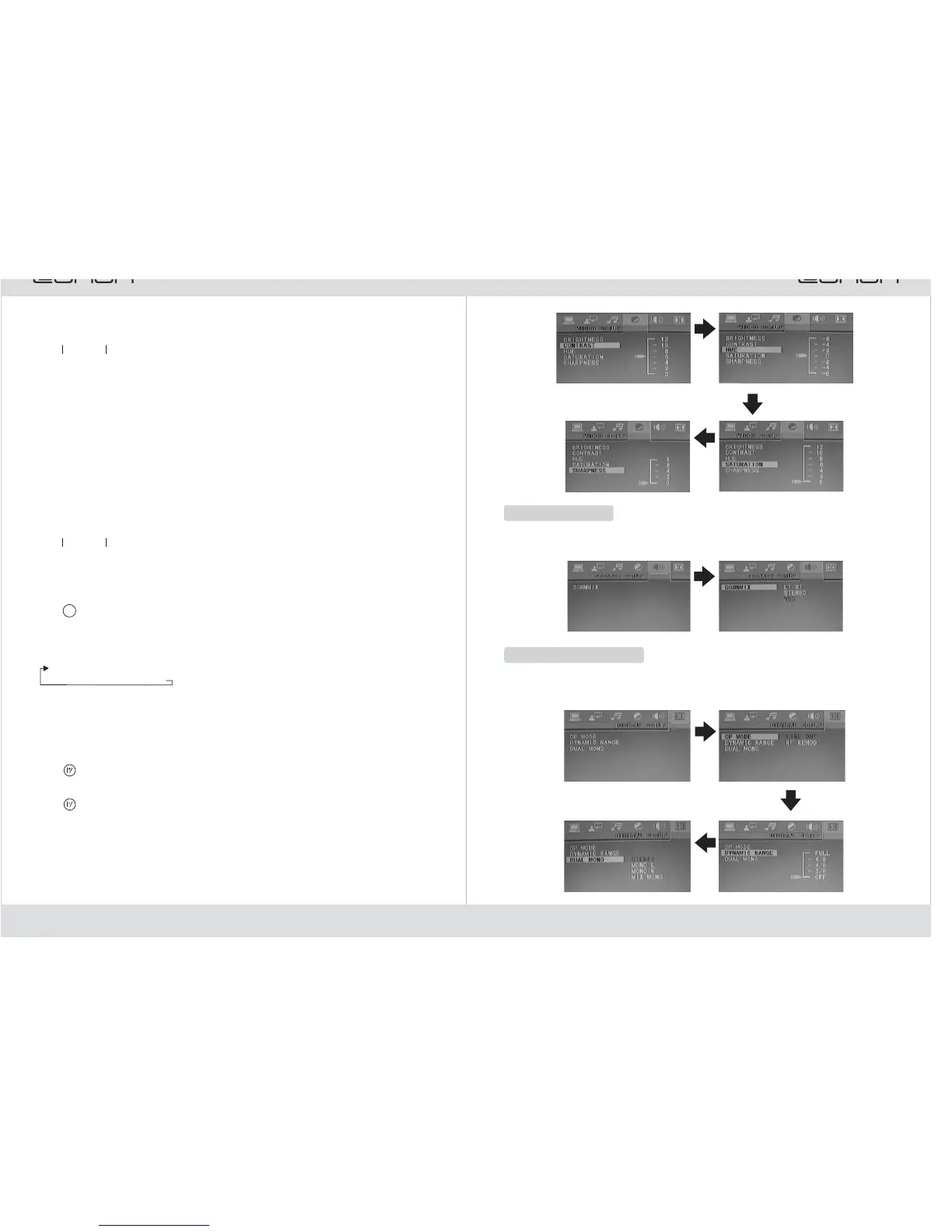
Speaker Setting
Press
▼
In speaker setting, you can set “mixed mode”. The speaker setting menu is shown
below:
Press
▼
Press
▼
Dolby Digital Setting
In Dolby digital setting, you can set “output mode”, “dynamic range” and “left +
right”. The Dolby setting menu is shown below:
Press ▼
Press
▼
Press
▼



 To Next Page