1
3x screwsBracketMonitor
It is very important to install and operate this product according to the following
instructions. Failure to do so may render your guarantee void.
1. The Monitor includes following items:
●
1x monitor
●
1x adapter
●
1x bracket for the monitor
●
3x screws
●
3x plastics plug
●
1x TF card (MicroSD)
FUTURO VIDEO DOORPHONE
Monitor
Model : FUTURO-SD4 (Photo Memory feature / GUI)
FUTURO-SD4B (No Photo Memory feature)
Door Station
Model : FUTURO-CZ4 (Surface mount )
FUTURO-CP4 (Flush Mount)
Adapter 3x plastics plug TF card
(SD4 Model only)
Instruction Manual
www.eos.com.au

 Need help?
 General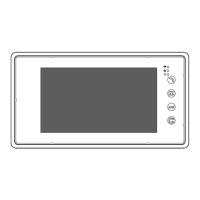

 To Next Page