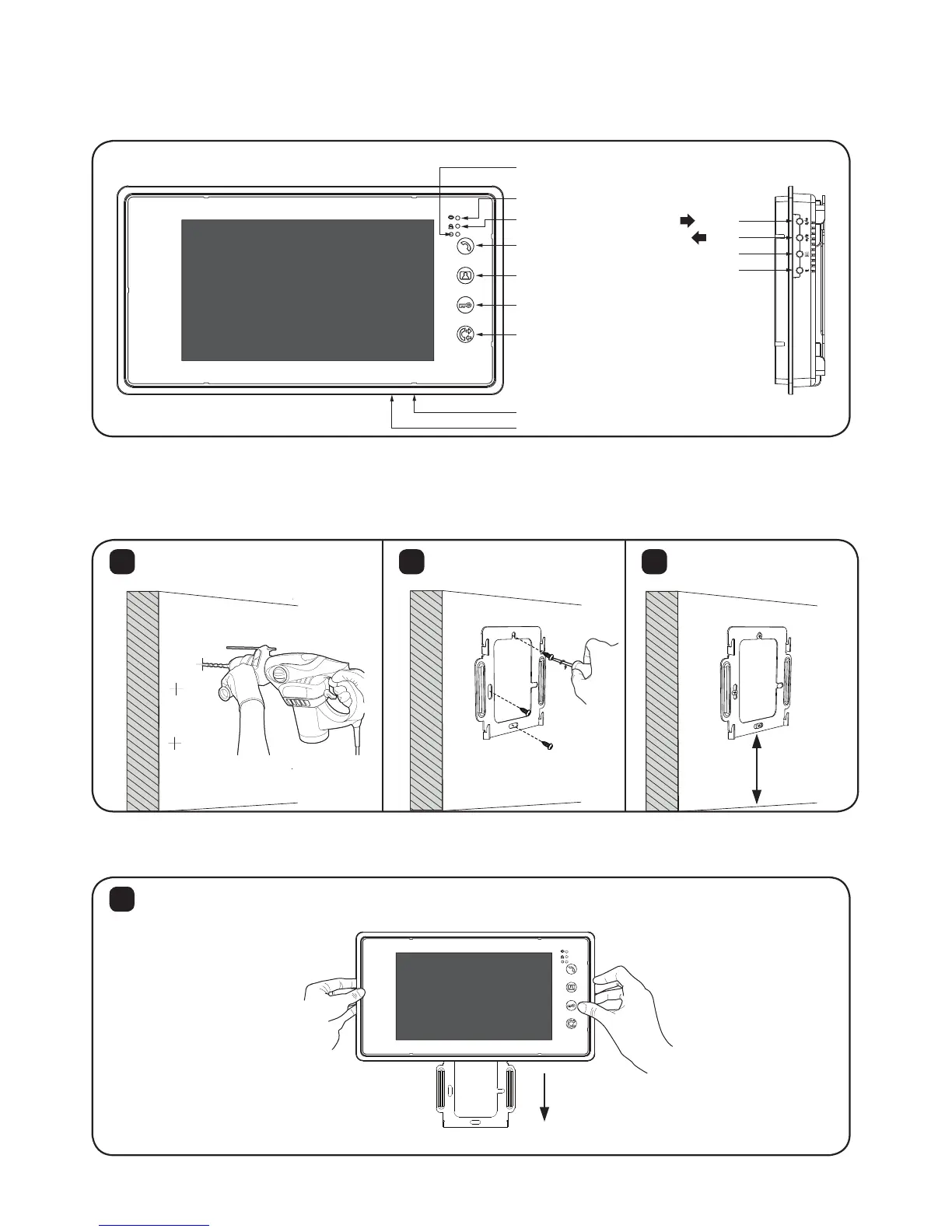
2. Monitor
2.1 Description
2
2.2. Installation
Mount the bracket on the wall with screws and do the wiring according to
the wiring diagram in next page.
Power
Image Recording(SD4 only)
Melody Mute
Talk
Monitoring
Door Open
Interphone
Menu/OK
/left
/right
Return
Microphone
1 2 3
ø8mm
Connect necessary wires to the terminal and mount the monitor on the bracket.
4
TF Card slot (FUTURO-SD4 Only)
1.5M
Dimension (WxHxD): 235x128x25mm


 To Next Page