Display all the status information of the camera.
Red means camera is recharging, solid green means the
battery full charged.
Red blinking means video recording, solid green means
standby.
The speaker for playback and voice report.
The interface for docking, walkie-talkie and external battery
connection.
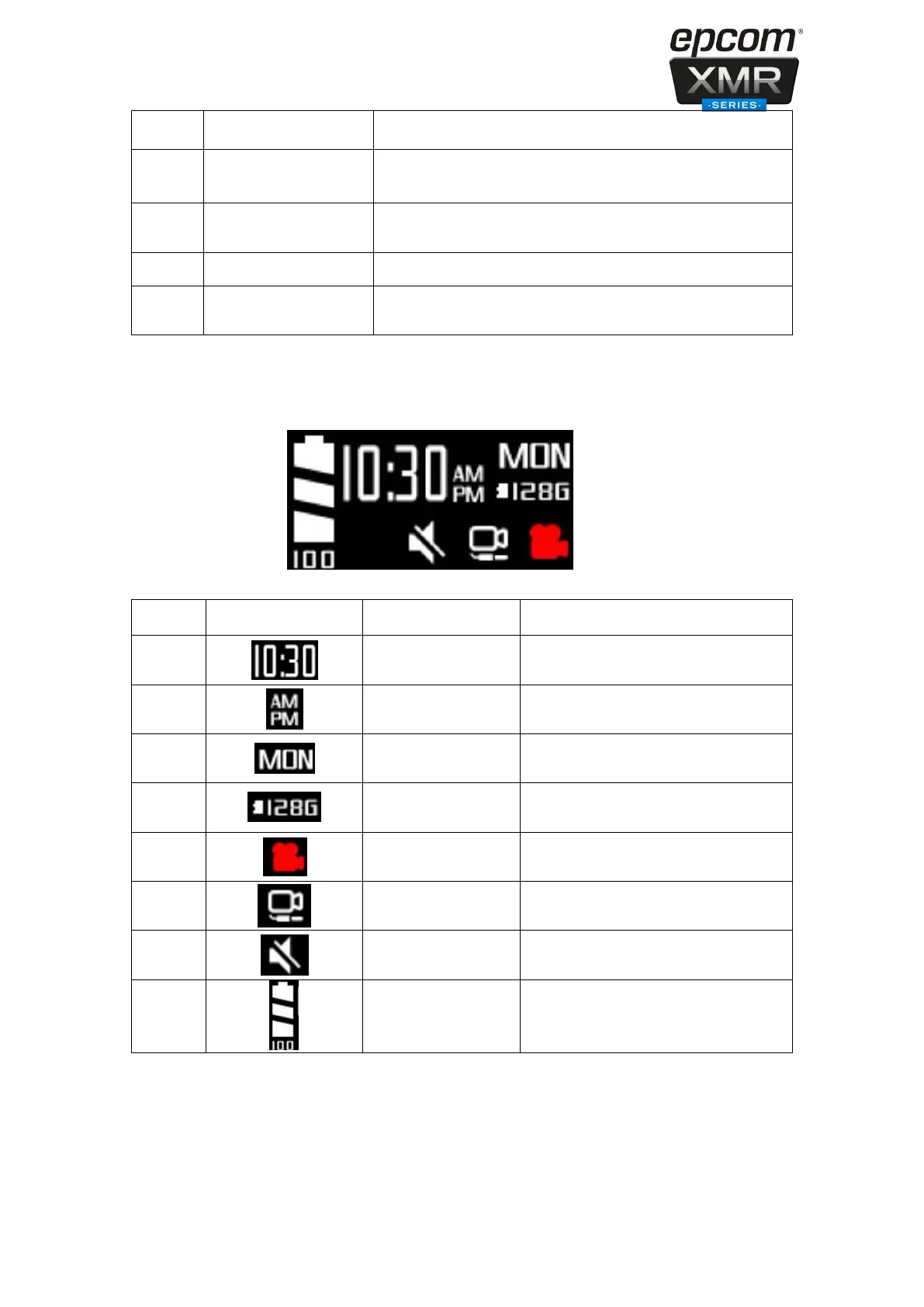
The body worn camera LCD screen is a small monitor to display various camera information
and operation status.
The real time of the camera
It will display the first three words of
the each day of week.
The remain capacity of the SD card
Red icon means camera is recording
Display this icon means external is
connected success, otherwise not.
Display this icon means the
microphone is turned off
It display the battery status


 To Next Page