2.
Structure design
2.1
Structure introduce
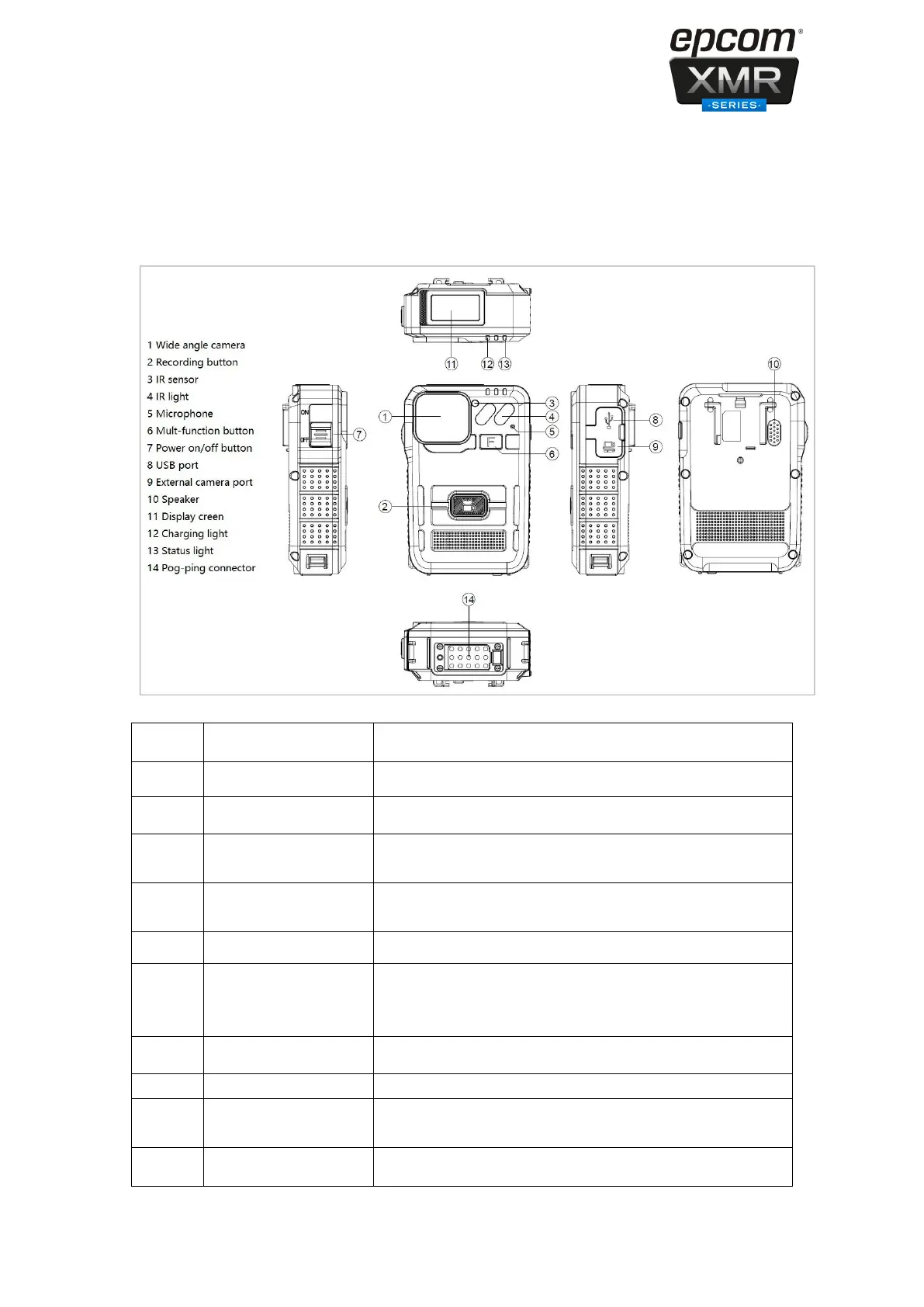
The wide angle HD camera lens
Press the button to start the audio recording only.
Record clear image in HD in low light situations. 10 meters
visible.
The sensor will detect the brightness of the environment, and
then activate the IR light and switch to night vision mode.
Capture the environment voice during using the intercom.
Long press it to turn off screen and LED
Double press it to turn off the microphone
Short press it to turn off the screen only
Slid it on to turn on, slid it down to turn off.
Connect USB cable for charging or connection to PC.
Connects to external camera, when it is connected, it will
show an icon in the screen. T3S not support external camera.
The speaker for playback and voice report.


 To Next Page