Use it after reading the users guide
For the after service, always keep the warranty certificate with you.
For the security purposes, Change your password regularly
Use only new battery and Alkaline type when replacing batteries.
When replacing batteries check for reverse polarity.
Do not disassemble, install, or repair this product on your own.
To clean, Use only DRY microfiber Towel.
Do not insert pin or any sharp materials that can damage the button.
Do not use number panel as a mirror, doing so may cause damage to the surface.
Do not use digital door lock for other purposes.
Do not allow water to enter the product.
Do not apply excessive shock to the product.
Familiarity with the manual opening and closing Procedure of this device is important.
This product is non-mechanical key type door lock
In case of emergency, the door can be forcefully opened.
User’s Guide
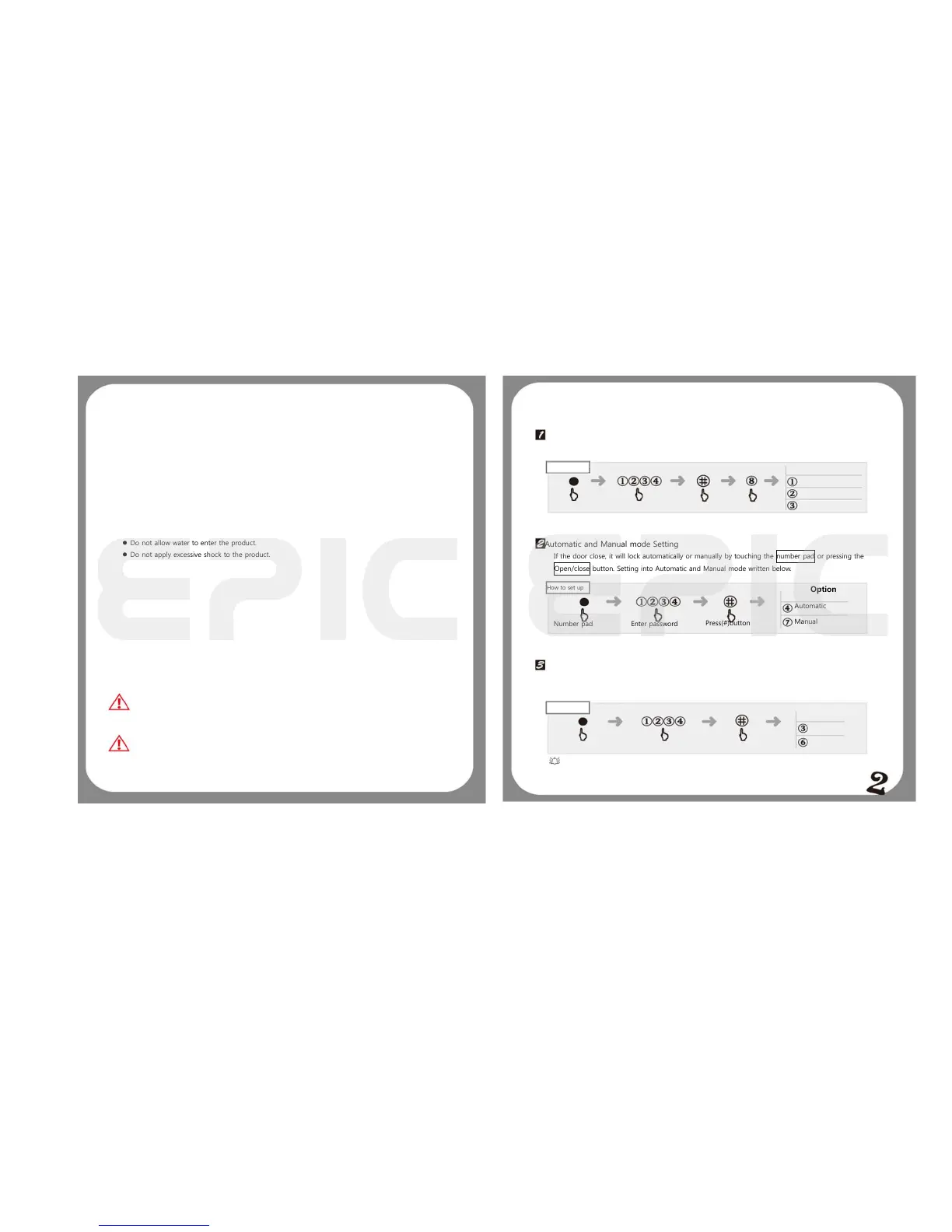
Magic Lamp: Lighting effect setting
The number pad lighting effects can be adjusted by users based on the following selection.
How to set up
Automatic and Manual mode Setting
If the door close, it will lock automatically or manually by touching the number pad or pressing the
Open/close button. Setting into Automatic and Manual mode written below.
Number pad
Mute Setting
How to set up
Decrease
In use of digital door lock, sounds can be adjusted upon the user’s desire.
When set into silence mode the number pad will blink when touched.
During System Malfunction
When it’s unable to operate normally, press RESET button found at the right side of the front body
Emergency battery usage
Located at the bottom of the front body is the 9V emergency battery terminal,
Place the 9V battery (sold separately) in an upward position matching the polarity (± sign).
Enter your password and the door will open.


 To Next Page
 Loading...