Need help?
Do you have a question about the Epik TEQNIO ELL1201T and is the answer not in the manual?
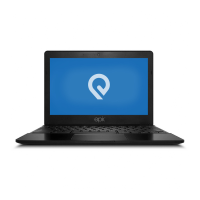
Details the TEQNIOTM 12.5" Ultra Slim Laptop specifications, including processor, screen resolution, and storage.
Explains initial login to Microsoft account and accessing the laptop's desktop environment.
Guide to using the Windows Start Menu, which displays applications as 'magnets'.
Instructions on how to pin and manage application shortcuts on the Start screen.
Covers basic power functions like sleep, restart, and shutdown, including force shutdown.
Steps to perform system recovery using Windows settings for troubleshooting and restoration.
Enabling Bluetooth, pairing devices, and transferring files wirelessly between devices.
Guide for creating local user accounts and setting passwords for enhanced security.
 General
| RAM | 4 GB |
|---|---|
| Operating System | Windows 10 |
| Display | 1366 x 768 |
| Connectivity | Wi-Fi 802.11ac, Bluetooth |
| Ports | 2 x USB 3.0, 1 x HDMI, 1 x headphone/microphone combo jack, 1 x microSD card reader |

 To Next Page