3
Turn On Laser
18
4
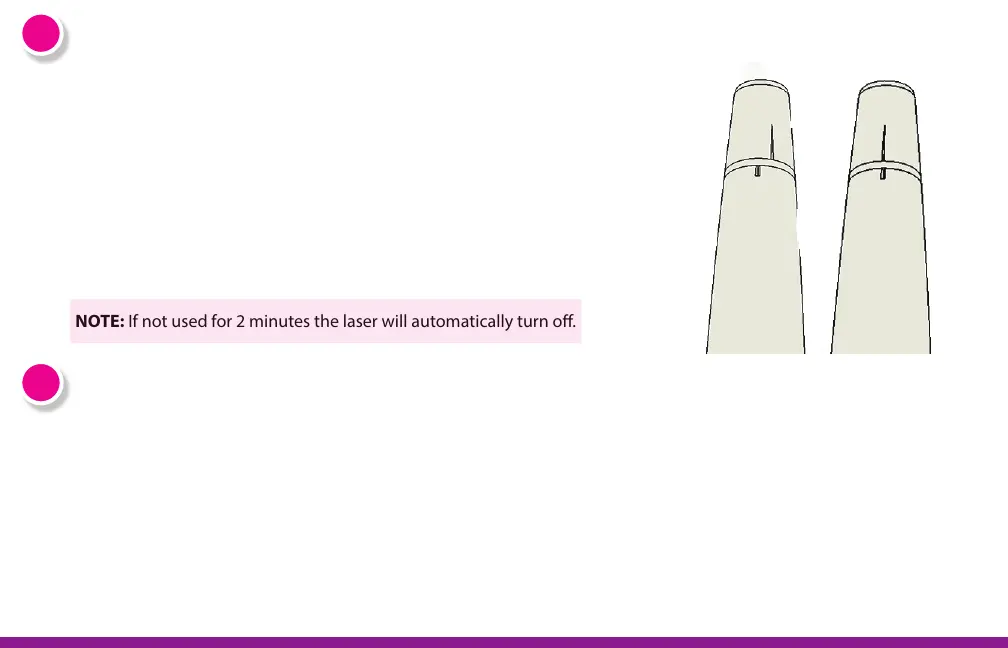
3a: Rotate the bottom of the laser 1/4 turn. The indicator light at the
bottom of the laser will turn green and an audible signal will emit to
let you know the laser was turned on.
3b: Once the laser is on, thetreatment window will emit a white beam of
light to let you know the Absolute is ready for use. This is not the laser
beam. It is a light that allows you to see the skin. You can see this light
reected o your hand if you put the hand near the treatment
window.
NOTE: If not used for 2 minutes the laser will automatically turn o.
OFF ON
4a: Press the treatment window fully against your skin on the area you want to treat.
If the skin tone sensor detects that the skin is “Not Safe” the laser will not give the
treatment.
4b: When you have good contact with the skin, hold the Absolute in place for two
seconds. It will apply the laser treatment automatically. There is nothing to push,
simply hold the device in place, ush against the skin.
Target and Treat Hair


 To Next Page