WIRED MODE
Press Fn+5%, the keyboard goes to the wired mode successfully.
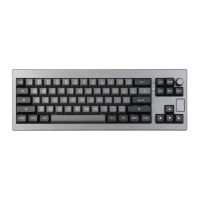
KNOB
Clockwise: Volume —/ Backlight Brightness -
Counterclockwise: Volume + / Backlight Brightness +
Press knob: Toggle the knob function between volume or backlight
brightness control.
CHECK BATTERY
Hold Fn+Backspace, the keys from 1!to O) lights up to show the battery percentage;
for example, if the keys from 1!to 6A light up when holding Fn + Backspace, it means
that the battery life is currently 60%; if keys of 1!-0) light up, battery life is 100%.
INDICATOR LIGHT
Charging: Red light stays for 2 seconds then off
Charged: Green light stays for 2 seconds then off
Win-lock: When the Win key light up, the key is disabled


 To Next Page