FN Composite Function Key
FN + t: increase brightness (O-28-44-60-80, default 100)
FN + l: reduce brightness (O-28-44-60-80, default 100)
FN + e: reduce the light efficiency speed (O-28-44-60-80, 100 by default)
FN + increase the light efficiency speed (O-28-44-60-80, 100 by default)
FN + left Ctrl: cycle to switch the number key 1-Ofunction to: number 1-Ofunction (default) Fl -Fl 2 function
FN + Del: long press for 3 seconds to restore factory settings, clear all power-off memory information, including Bluetooth
pairing information
Knob Function Key
Leftknobo : turnclockwisetoincreasethevolumeofmultimedia,turncounterclockwisetodecreasethevolumeof
multimedia, press mute, press again to remove mute.
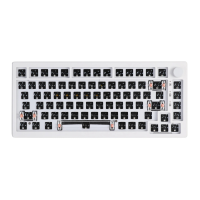
Right knobO : rotateclockwisetoincreasethebacklightbrightness.rotatecounterclockwisetoreducethebacklight
brightness, press cycle to switch the light effect.
The right knob contains extended function: it needs to support the function of clockwise rotation, counter clockwise
rotation and pressing of the left knob and the right knob,Such as: zoom in, zoom out, open, close, forward, backward and
other functions.



 To Previous Page