EasyManua.ls Logo

Epomaker TH96 PRO - User Manual

Epomaker TH96 PRO
24 pages
Print Icon
To Next Page IconTo Next Page
Loading...
QUICK S T A R T GUIDE
EN
EPOMAKER TH96 PRO
Should you require more assistance please email us at support@epomaker.com
95% Hot Swappable RGB Mechanical Gaming Keyboard
Manufacturer: Shenzhen Changyun Technology Co., Ltd.
Address: Seventh Floor, Kai Daer Building, No.168 Tongsha Road,
Xili Street, Nanshan Disctrict, Shenzhen,Guangdong, CN
Email: support@epomaker.com
Web: www.epomaker.com
Made in China
RoHS
COMPLIANT
Created by Heipi
from the Noun Project
ANSI Layout
Question and Answer IconNeed help?

Do you have a question about the Epomaker TH96 PRO and is the answer not in the manual?

Summary

Connectivity and Modes

Wireless Pairing Guide

Instructions for pairing via Bluetooth and 2.4GHz wireless.

Wired Mode and Battery Check

How to activate wired mode and check battery status.

Product Specifications

Detailed Specifications

Information on model, keys, connectivity, and dimensions.

Keycap and Switch Replacement

Tools and Procedure

Guide on using tools to remove and install keycaps and switches.

Customer Support and Warranty

Technical Assistance and Warranty Details

Contact for support, forums, and warranty coverage information.
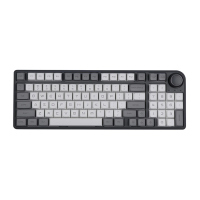
Epomaker TH96 PRO Specifications

General IconGeneral
BrandEpomaker
ModelTH96 PRO
CategoryKeyboard
LanguageEnglish

Related product manuals