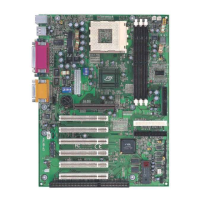
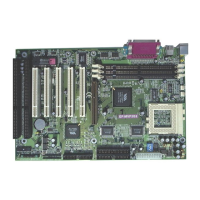
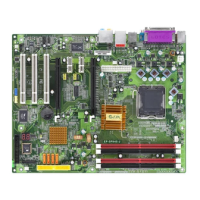
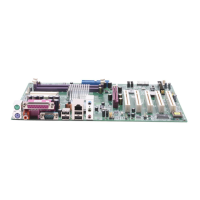
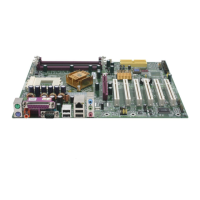
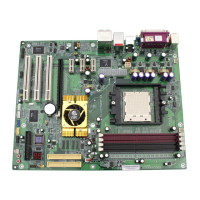
This document is a user manual for an AMD Socket A Processor-based mainboard. It provides detailed information on the mainboard's features, installation procedures, BIOS setup, driver installation, and troubleshooting.
Function Description
The mainboard is designed to support AMD Duron™ and Athlon™ processors, offering a robust platform for desktop systems. It integrates various components to provide comprehensive functionality, including graphics, memory, and peripheral connectivity. The board's architecture is built around the nVidia nForce2™ chipset, which includes the nForce2™ SPP (North Bridge) and nForce2™ MCP (South Bridge), designed to optimize performance for AMD Athlon XP Processors. Key functions include supporting high-speed data transfer, advanced graphics, and extensive peripheral connectivity.
Important Technical Specifications
Processor:
- Supports 462-pin SocketA for AMD Athlon XP and Duron processors.
- Front Side Bus (FSB) speeds: 200/266/333MHz.
- Supported Athlon XP models: 1500+ to 2800+ (with 266/333MHz FSB).
- Supported Duron models: 800 to 1.3GHz (with 200MHz FSB).
Chipset:
- nVidia nForce2-128 SPP (Crush 18D) + MCP-T AGPset.
- Features NVIDIA's patent-pending DASP (Dynamic Adaptive Speculative Pre-Processor) technology for boosted system performance.
- Implements NVIDIA DualDDR™ Memory Architecture, supporting DDR 400 memories for twice the bandwidth.
- AGP 8x interface.
- HyperTransport Link.
- Compliant with ACPI 2.0 and PCI Power Management Interface (PMI) Spec 1.1.
- MCP provides a highly integrated, high-performance, low-cost PC2001-compliant peripheral controller.
Main Memory:
- Three 184-pin DDR DIMM sockets.
- Supports 64-bit, Unbuffered, Single/Double-side, and Non-ECC DDR-200/266/333/400 DIMMs.
- Supports 128-bit dual channel memory architecture.
- Maximum memory size: up to 3GB.
- Supports complete FSB/Memory and FSB/AGP Asynchronous scheme for overclocking.
- DIMM#2 and #3 share the same memory bus, while DIMM#1 is dedicated for the 2nd channel memory bus.
BIOS:
- 2Mb Flash EEPROM with Award BIOS.
- ACPI v2.0 compliant.
- S3 (Suspend to DRAM) sleep-state support.
- SMBIOS (System Management BIOS) v2.2 compliant.
- Supports Power failure recovery.
- Capable of waking the computer from specific states by LAN, Power switch, PME#, RTC alarm, PS2 devices, Modem ring on COM#1.
Onboard PCI Devices:
- 1394 Controller (Optional): Embedded RTL8801B PHY for 2 ports, IEEE-1394a compliant with up to 400Mbps bandwidth.
- LAN Controller (Optional): Embedded 10/100Mbps Fast Ethernet controller with RTL8201BL PHY.
- IDE Controller: Supports 2 IDE ports for up to 4 IDE devices, supports ATA-133 with up to 133Mbps bandwidth.
Legacy I/O Controller:
- Winbond W83627HF LPC I/O controller with floppy, printer, game, serial, and CIR/SIR interface.
Audio:
- Six channel audio with analog and digital output using ALC-650E AC'97 CODEC.
- AC'97 v2.2 compliant.
- In 2-CH mode, supports Mic-In (Pink), Line-In (Blue), and Line-Out (Green) at the rear panel.
- In 6-CH mode, supports Center/Subwoofer (Pink), Rear out (Blue), Front out (Green) at the rear panel.
- Supports CD-In, Aux-In, and S/PDIF-In/out interface.
- Supports Line-out and Mic-In for the front panel.
Peripheral Interfaces:
- PS/2 keyboard and mouse ports (rear panel).
- One Parallel (printer) port (rear panel).
- One RJ45 LAN connector (rear panel) (Optional).
- Two Serial ports (rear panel).
- One floppy drive interface.
- One game port.
- Two IDE interfaces with up to ATA-133 support.
- Two 1394 interfaces (Optional).
- Six USB2.0 ports (4 at rear panel).
- Three Fan connectors.
Front Panel Controller:
- Supports Reset & Soft-Off switches.
- Supports HDD & Power LEDs.
- Supports PC speaker.
Expansion Slots:
- One AGP slot supporting 1.5V x4/x8-AGP cards, AGP v3.0 compliant.
- Six PCI bus sockets with Bus Master support, PCI v2.3 compliant.
Usage Features
- Easy Installation Procedure: The manual outlines a clear, step-by-step process for CPU insertion, jumper settings, system memory configuration, and device connections.
- CPU Installation: Detailed instructions with illustrations guide users through opening the socket, inserting the processor, and closing the actuation lever. Emphasizes proper pin 1 orientation and avoiding force.
- Jumper Settings: Provides clear diagrams and tables for CMOS Clear and CPU FSB Frequency Select jumpers, including default settings.
- System Memory Configuration: Explains how to install DDR DIMM modules, highlighting the notch for correct orientation and the importance of firm insertion until clips close. It also details supported memory configurations (1, 2, or 3 DIMMs) and the dual-channel architecture.
- Device Connectors: Comprehensive descriptions and diagrams for all I/O ports (PS/2, USB, COM, Parallel, LAN, Audio), fan connectors, IDE, FDD, and 1394 connectors.
- Power-On/Off (Remote): Explains the 20-pin ATX power connector and the "Soft Off" function, allowing system shutdown via the front panel button or operating system. Recommends ATX power supplies with >=1A +5VSB current for STR function and a minimum of 250 Watt (preferably 300 Watt or greater) ATX power supply.
- BIOS Setup (Award BIOS): A dedicated section details how to navigate and configure various BIOS settings, including Standard CMOS Setup, Advanced BIOS Features, Advanced Chipset Features, Integrated Peripherals, Power Management Setup, PnP/PCI Configuration Setup, PC Health Status, and Power BIOS Features.
- Overclocking Capabilities: The BIOS offers subtle voltage tuning for CPU, Memory, and AGP, as well as frequency tuning for FSB, allowing for enhanced performance.
- Hardware Monitoring: The PC Health Status in BIOS allows monitoring of CPU temperature, system temperature, fan speeds (CPU, Chassis, Power), and various voltage levels (Vdd, Vcore, Vdimm, ±5V, ±12V, VBAT, 5VSB).
- Driver Installation: Provides a simple guide for installing nVIDIA nForce Series drivers and nVIDIA USB2.0 drivers from the bundled CD-disk.
- nForce Audio Control Panel User's Guide: Explains how to use the audio control panel for speaker setup, equalizer adjustments, input/output volume controls, MIDI settings, and environment effects.
- GHOST 7 Quick User's Guide (Optional): Includes instructions for disk cloning, disk backup, and restoring partitions using GHOST 7, along with details on creating emergency recovery floppies and CDs.
Maintenance Features
- CPU Overheating Protection: The mainboard features a hardware-based CPU overheating protection that automatically shuts down the system if the CPU temperature reaches approximately 110°C. It also prevents power-on and emits a sustained beep. To reset, users must unplug/turn off the ATX power and wait for the beep to stop before plugging it back in. This feature only works with CPUs that have thermal diode design.
- BIOS Update: Instructions are provided for updating the system BIOS using AWDFLASH, including saving the previous BIOS data.
- EEPROM BIOS Remover: A warning is given against removing the BIOS chip without proper instruction and a PLCC IC extractor tool to prevent damage.
- CMOS Clear: A jumper setting (JCMOS) is available to clear CMOS data, which can be useful for resolving configuration issues.
- Power Failure Recovery: The BIOS includes a "PWRON After PWR-Fail" setting that allows the computer to automatically restart or return to its last operating status after a power failure.
- Reset Configuration Data (ESCD): In the PnP/PCI Configuration Setup, users can enable "Reset Configuration Data" to clear ESCD (Extended System Configuration Data) if new add-on cards cause conflicts.
- POST Codes (Optional): Appendix D provides a comprehensive list of POST (Power-On Self-Test) codes, their descriptions, and potential problems/solutions, aiding in basic troubleshooting. For example, specific codes indicate issues with BIOS chip insertion, memory modules, VGA cards, or overclocking errors.

 Need help?
 General

 To Next Page