Need help?
Do you have a question about the EPOX EP-8RDAE and is the answer not in the manual?
Lists all items included in the mainboard package.
Provides a general overview of the mainboard's features and architecture.
Details the key specifications and capabilities of the mainboard.
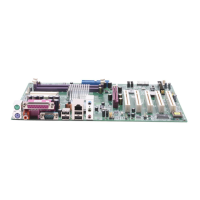
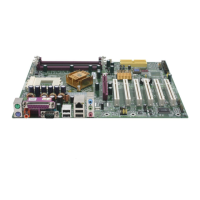
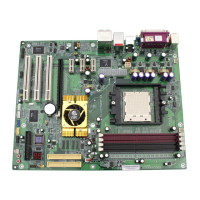
Identifies the physical layout of components and connectors on the mainboard.
Step-by-step guide for installing the mainboard and its components.
Introduces the BIOS setup utility and how to navigate it.
Explains how to configure basic system settings like date, time, and drives.
Details advanced system settings and configurations within the BIOS.
Covers settings related to the chipset performance and configuration.
Configures onboard devices like IDE, USB, Audio, and LAN.
Settings for managing system power consumption and sleep states.
Manages Plug and Play and PCI slot configurations and resource assignments.
Displays system hardware status, voltages, temperatures, and fan speeds.
Allows adjustment of CPU, AGP, and DIMM voltage regulators.
Options to load fail-safe or optimized default BIOS settings.
Sets up system passwords for BIOS access and security.
Explains how to save or discard changes and exit the BIOS setup utility.
Step-by-step guide for installing essential drivers from the bundled CD.
Provides a guide to configuring the C-Media audio features.
Instructions for updating the system's BIOS using a utility.
Guidance on safely removing the BIOS chip using specialized tools.
A quick guide to using Ghost 7 for disk and partition backup/cloning.
Lists and explains Power-On Self-Test (POST) codes for troubleshooting.
 General
| Form Factor | ATX |
|---|---|
| Socket Type | Socket A |
| Supported CPUs | AMD Athlon XP, Duron |
| Memory Type | DDR SDRAM |
| Memory Slots | 3 |
| Max Memory Supported | 3 GB |
| Onboard LAN | 10/100 Mbps Ethernet |
| Chipset | NVIDIA nForce2 Ultra 400 |
| Expansion Slots | 1 x AGP 8x, 5 x PCI |
| Storage Interfaces | 2 x ATA133, 2 x SATA |
| Onboard Audio | AC'97 Audio |
| RAID Support | RAID 0, RAID 1 |
| Memory Speed | 400/333/266/200 MHz |
| USB Ports | 6 (2 on rear panel, 4 via headers) |


 To Next Page