Emptying Dust Bin
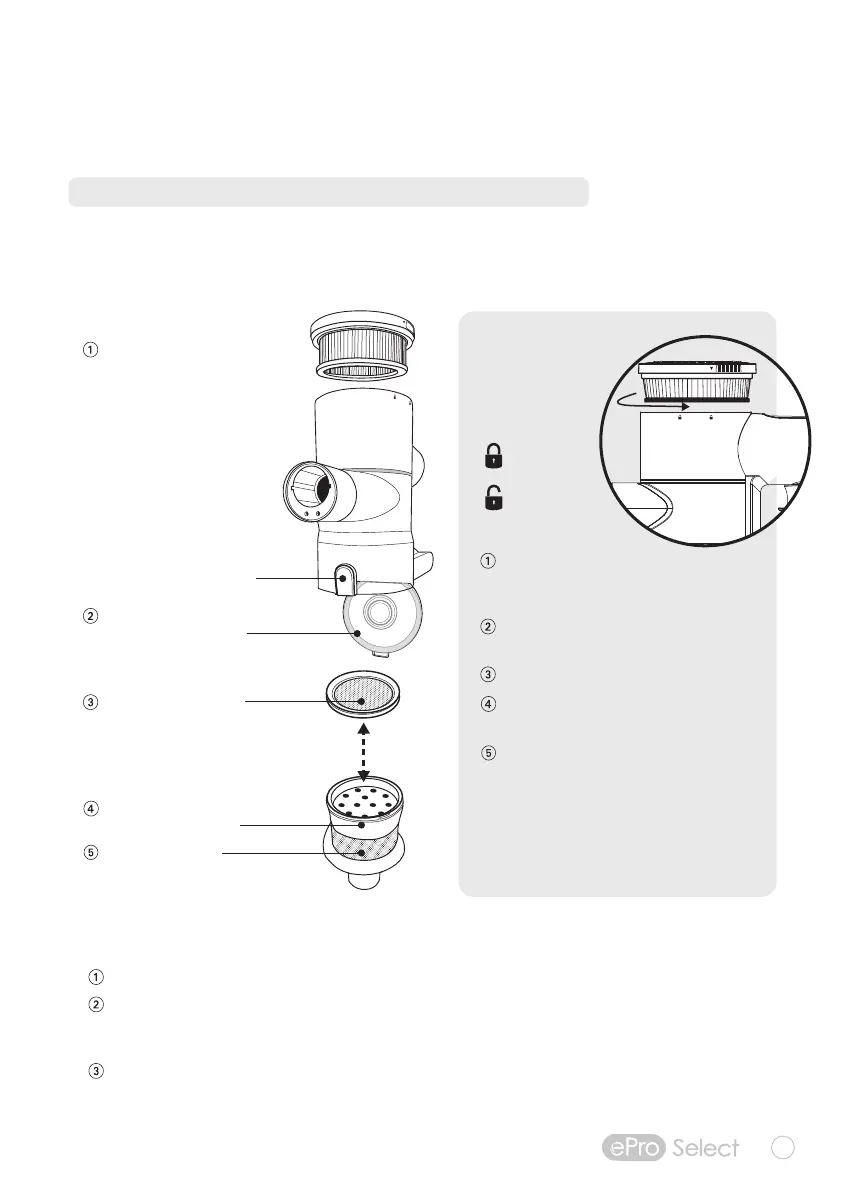
Hold the hand vacuum over a trash container.
Then, press the BIN RELEASE button to open bin.
Carefully empty contents into a trash container.
If necessary, clean Multi-Stage Filter Assembly.
Make sure Multi-Stage Filter Assembly is secure
(turning the entire assembly clockwise) before closing
dust bin door (hearing a “click” to lock door).
Turn Multi-Stage Filter Assembly
counter-clockwise until arrow aligns
with the UNLOCK position.
Pull up to remove TRUE HEPA filter and
remove debris as needed.
Wash TRUE HEPA filter if necessary.
Insert TRUE HEPA filter back into
Multi-Stage filter assembly
Make sure TRUE HEPA filter is secure
(by turning Clockwise and aligning
arrow to the LOCK position) before
closing dust bin door.
NOTE: make sure all components
within Multi-Stage Filter Assembly are
thoroughly dry before reassembling.
5
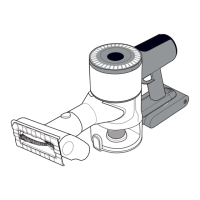
With the power off, press the 1-touch button to open the dust bin and empty debris into a garbage can.
follow instructions below for emptying and cleaning.
NOTE: Do not wash any parts of the vacuum or accessories in dishwasher.
CLEANING AND MAINTENANCE
Multi-StageFiltration
The ePro Select Cordless Vacuum comes with a Multi-Stage filtration system.
Bin Release
Button
Sealed Dust Bin traps up to
90% of dust and debris
Unlock the motor outlet to
remove and clean the TRUE
HEPA filter and keep clean
to avoid secondary pollution
High-efficiency MIF Filter
absorbs 0.3-micron particles
and reduces allergens
Filter Assembly sorts and
isolates larger particles
Metal mesh filter
traps smaller particles
LOCK position
UNLOCK position
Cleaning
Multi-Stage
Filter
Assembly


 To Next Page