14
15
Set up your Android TV device
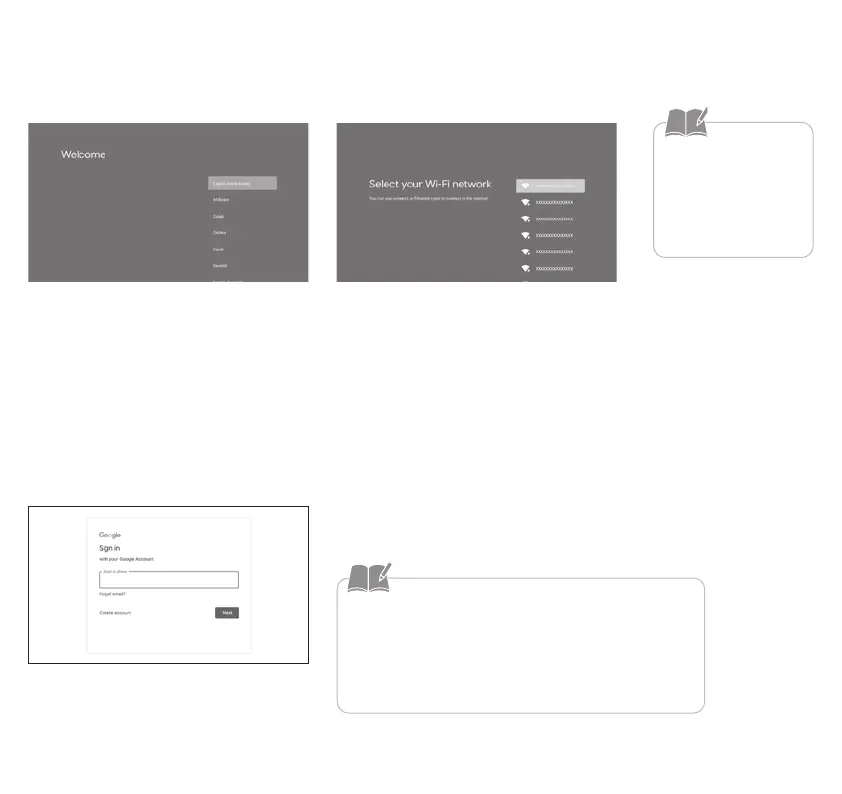
1. Select the screen display language
When the language selection screen is
displayed, select the language you want
to use.
2. Connect to Wi-Fi
An Internet connection
is required to view
online content. Make
sure that you have
access to a Wi-Fi service.
When the Wi-Fi settings screen is dis-
played, follow the on-screen instructions
to make the settings.
3. Log into your Google Account
• Download all your favorite apps and games on Google
Play. And enjoy them on the big screen with easy access
from your custom Android TV home screen.
• You can create a Google Account on any computer or
smart device.
Follow the on-screen instructions to sign
in to your Google Account.


 To Next Page