Need help?
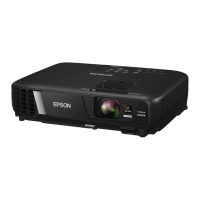
Do you have a question about the Epson EX3240 and is the answer not in the manual?
Details projector's key features like resolution and connectivity.
Illustrates and labels projector components on different sides.
Lists all items included in the projector's packaging.
Lists optional components needed for specific connections.
Guides on how and where to position the projector for optimal viewing.
Explains how to connect various external devices to the projector.
Instructions for connecting various computer sources via USB, VGA, HDMI.
Instructions for connecting various video sources like HDMI, MHL, Component, S-Video.
Step-by-step guide on how to power on the projector.
How to correct projected image shape for optimal display.
How to operate the projector using the remote control effectively.
How to project images directly from USB devices without a computer.
How to zoom into and out of the projected image.
Overview of security features like password and button lock.
How to use the split screen feature to display two images at once.
How to transfer projector menu settings to another projector.
Adjusts image quality parameters like color, brightness, contrast, and sharpness.
Optimizes projector settings based on the input signal type and resolution.
Customizes various projector features like keystone, split screen, and lock settings.
Configures projector setup features like Home Screen and USB settings.
General advice on keeping the projector in good working condition.
How to clean dust from the air filter and vents to prevent overheating.
Step-by-step guide for safely replacing the projector lamp.
How to replace the batteries in the projector's remote control.
Basic troubleshooting steps for projector issues.
Explains the meaning of projector status lights and their troubleshooting implications.
Solutions for common issues related to projected images or audio.
Steps to take when no image is displayed by the projector.
Provides general technical specifications for the projector models.
Lists supported video formats, resolutions, and refresh rates.
Lists the system requirements for using the USB Display software.
General safety precautions and warnings for using the projector.
Guidelines on using the product in high-reliability or safety-critical applications.
Compliance statement regarding FCC regulations for digital devices.
Details the GNU GPL license for included open source software.

 To Next Page

 General