Installing the EPSON Scanning Utilities 9
6. Click OK to accept the default pathname, or enter a new path
and click OK.
7. The next dialog box displays the path in which the installer
software will install the EPSON TWAIN program. The
default path is C:\WINDOWS. Click OK to accept the
default pathname, or enter a new path and click OK.
8. The installer software copies the Scanning Utilities to your
hard disk drive and prompts you for diskette 2 when
necessary.
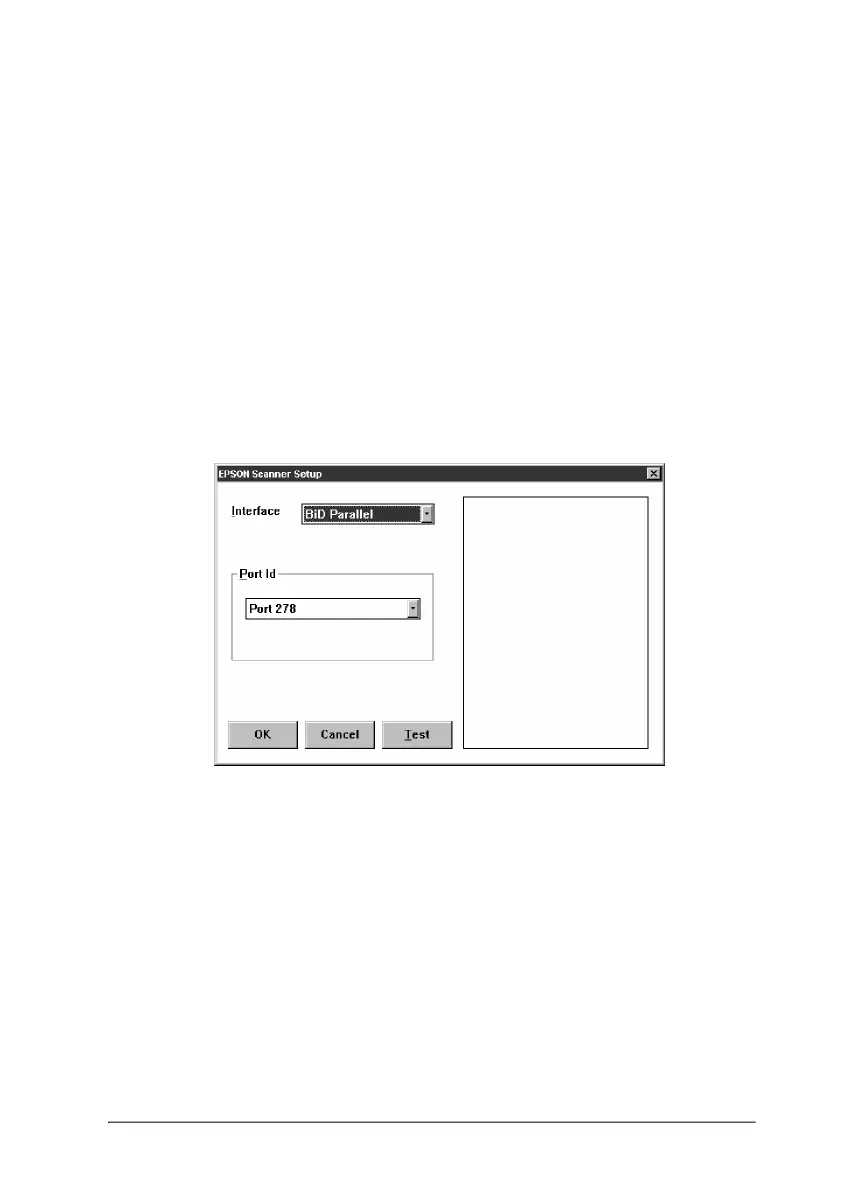
9. After a few moments, you see the EPSON Scanner Setup
dialog box.
From the Interface pull-down menu, choose SCSI.
10. If necessary, select the port ID of the interface board from the
Port ID pull-down menu. Normally, you do not need to
change the default port ID setting. Because the scanner is
connected to a SCSI interface, the port ID is selected
automatically.
soft2 Page 9 Friday, September 20, 1996 1:35 PM






 To Next Page