Note:
Except for the SC-T3100M Series
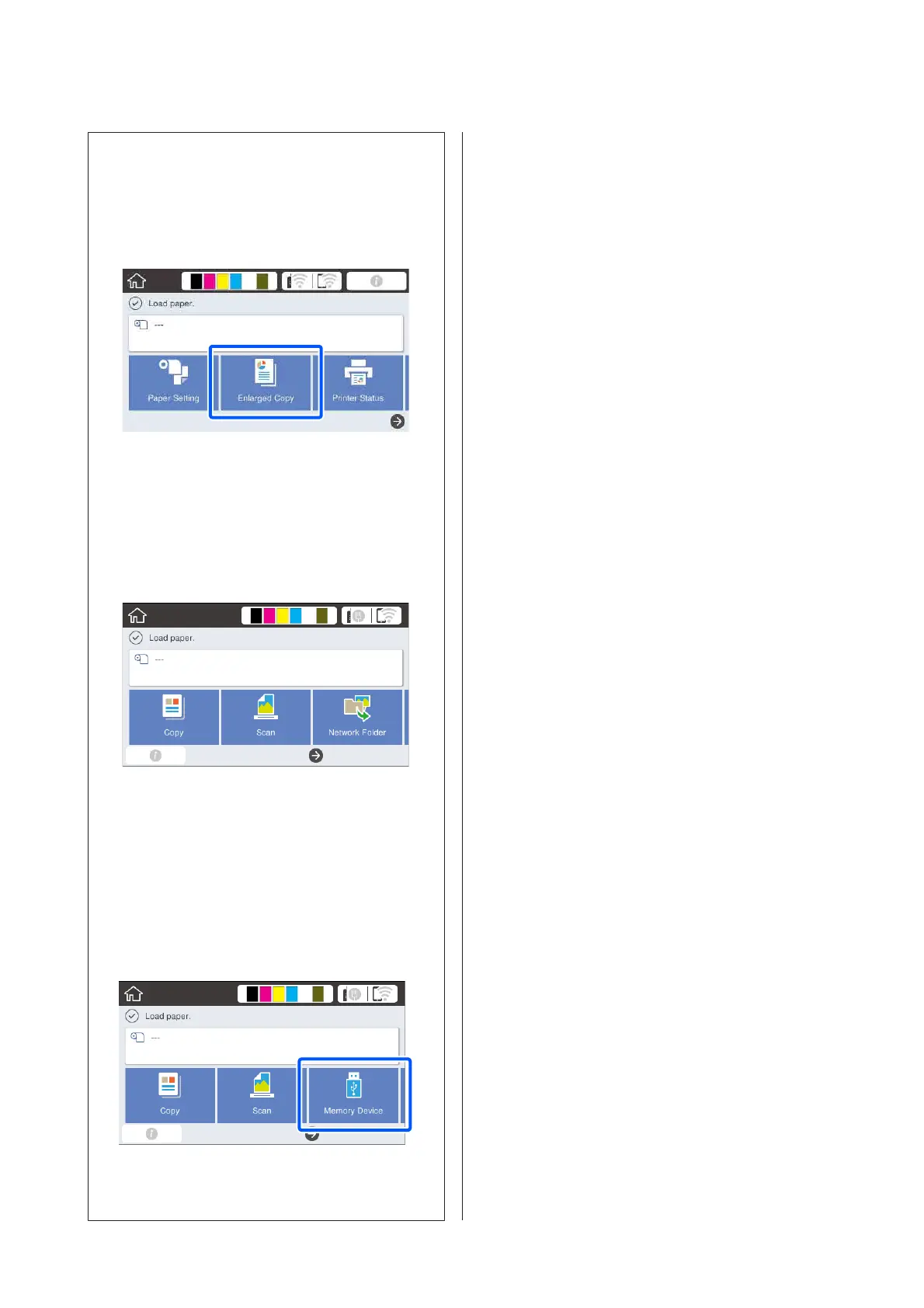
When you connect an Epson A3 or A4 scanner to the
printer, Enlarged Copy appears to allow you to easily
make enlarged copies.
U “Making Enlarged Copies with an A3 or A4
Scanner (Except for the SC-T3100M Series)” on
page 109
SC-T3100M Series only
❏ The Copy, Scan, and Network Folder buttons are
displayed.
U “Copying (SC-T3100M Series only)” on
page 101
U “Scanning (SC-T3100M Series Only)” on
page 105
U “Printing Files from a Shared Folder (Print
from Folder) (SC-T3100M Series Only)” on
page 98
❏ Inserting USB flash drive into the printer displays
a Memory Device button on the screen.
U “Printing Files on USB Flash Memory Directly
(SC-T3100M Series Only) ” on page 99
SC-T3100M Series/SC-T5100 Series/SC-T3100 Series/SC-T5100N Series/SC-T3100N Series/SC-T2100 Series User's Guide
Introduction
16



 To Next Page
 Loading...