Rotech: Epson Stylus Photo 1500W – Installation Guide
WinProle Installation & Registration
PAGE 6 of 6 >>
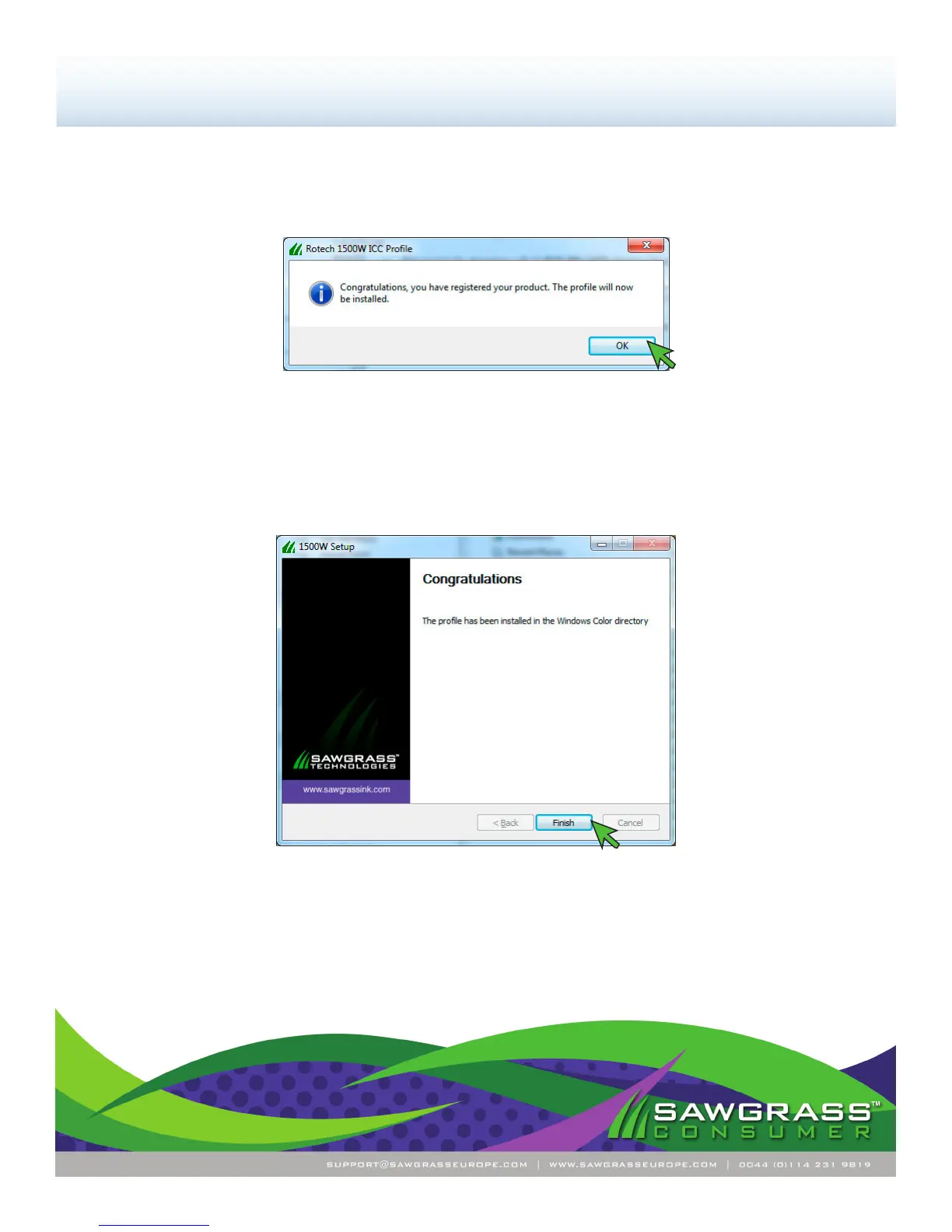
13.) You should receive the following screen informing you that installation was completed successfully (see
FIGURE 12). Click Finish to complete the installation.
FIGURE 12
Congratulations! The Rotech Epson 1500W WinProle installation is complete. Please proceed to the Con-
guration Guide.
12.) You should receive the following screen conrming that registration was successful (see FIGURE 11).
Click OK to continue.
FIGURE 11


 To Previous Page
 Loading...