142
142 | Managing Color With Profiles
5. When your image appears, evaluate the color balance and contrast. If
they need improvement, select
Image > Mode > Assign Profile or
Edit > Assign Profile. Then select one of the following as the Profile
setting:
• A different RGB working space (or Profile), such as ColorMatch
RGB
or sRGB IEC61966-2.1
•
A scanner profile for your scanner
• A camera profile for your digital camera
Also click the
Preview box so you can see the effects of your profile
choice on the screen.
6. Select
Page Setup from the File menu, select your page settings, and
click
OK.
7. Select
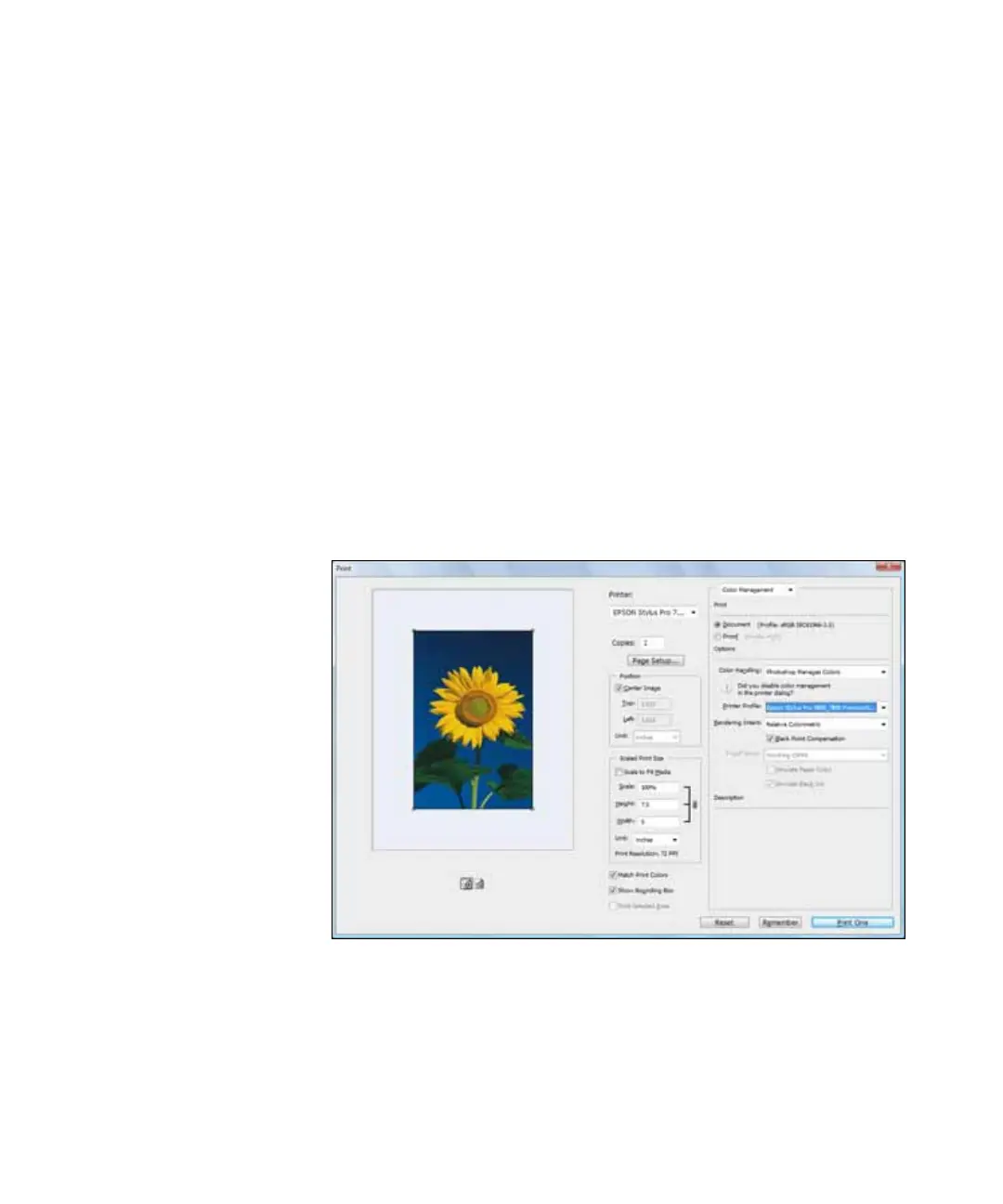
File, then select Print or Print with Preview.
8. Click
More Options or Show More Options, then select Color
Management
.
9. Under
Color Handling, select Let Photoshop Determine Colors or
Photoshop Manages Colors.




 To Next Page