
 Need help?
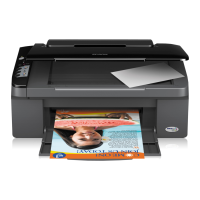
Do you have a question about the Epson Stylus NX105 and is the answer not in the manual?
Details the structure and chapters of the manual.
Explains the various symbols used for warnings and information.
Describes the key features and specifications of the printers.
Details the printing capabilities, resolution, and paper handling.
Outlines the specifications related to the scanner function.
Covers general technical and environmental specifications.
Describes the interface options, specifically USB.
Explains the buttons and LEDs on the printer's control panel.
Details how to perform copying functions without a computer.
Introduces the chapter and the printer's main mechanisms.
Describes the step-by-step process when the printer is powered on.
Introduces the troubleshooting chapter and preliminary checks.
Explains how errors are indicated and their root causes.
Provides troubleshooting steps based on specific error messages.
Addresses troubleshooting for issues not indicated by LEDs or STM3.
Details troubleshooting steps for motors and sensors.
Introduces the disassembly procedures and precautions.
Presents a flowchart for disassembling printer components.
Details the process for removing external housing parts.
Explains how to remove internal circuit boards.
Covers the disassembly of the printer's mechanical components.
Provides steps for disassembling the scanner unit.
Outlines specific disassembly steps for the NX110 series.
Lists and explains the necessary adjustments after repair.
Details which adjustments are needed based on replaced parts.
Guides on using the software adjustment program.
Introduces maintenance procedures for optimal printer condition.
Explains how to clean printer parts like the printhead and rollers.
Covers maintenance tasks for error correction and upkeep.
Details the specified lubricants and their application points.
Informs about the availability of exploded diagrams and parts lists.
 General
| Brand | Epson |
|---|---|
| Model | Stylus NX105 |
| Category | Inkjet printer |
| Language | English |


 To Next Page
