17
G
Start copying.
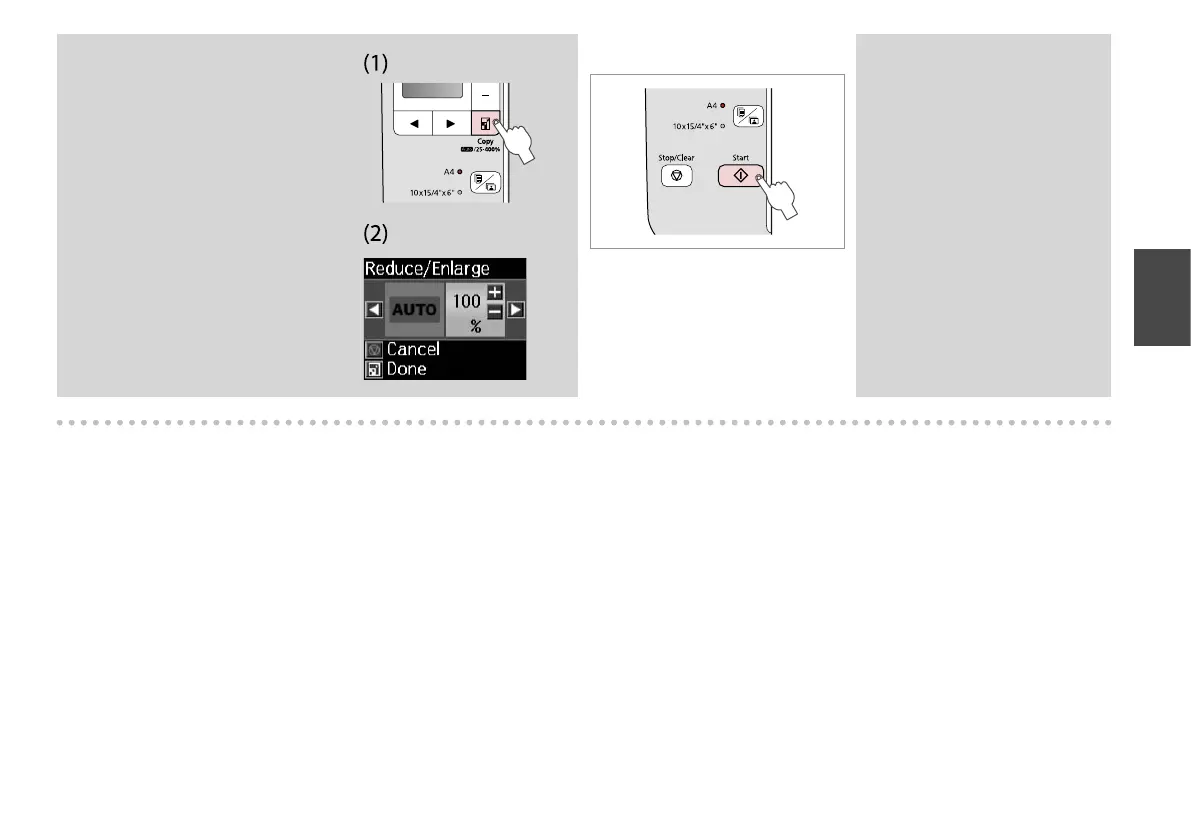
After step F, if you want to
change the copy zoom, press the
o Copy button as shown in (1),
and then use + or - to change the
zoom manually as shown in (2). Or,
press the l button to select AUTO
to t to your paper size.
Q
You can speed up plain paper
copying, however print quality
declines. In step G, hold down
x button until the P light starts
ashing.
Q



 To Next Page
 Loading...











