9
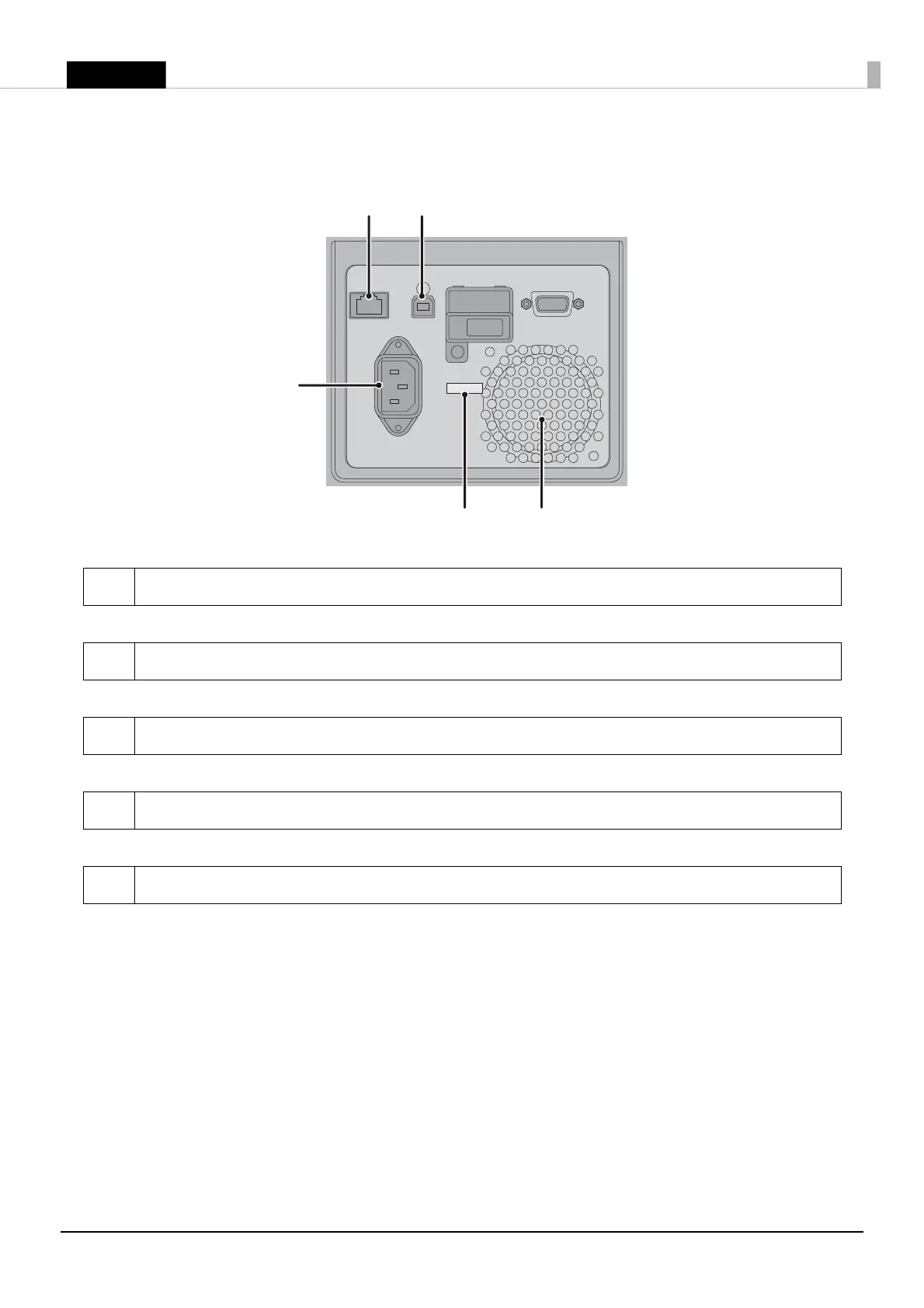
Rear Side
1 USB Connector
For connecting a USB cable.
2 Ethernet Connector
For connecting a LAN cable.
3 AC Inlet
For connecting a power cable.
4 Wire Saddle
Pass the USB cable through this saddle to prevent disconnection of the USB cable.
5 Air Vent
Exhausts heat generated in the product to prevent an internal temperature rise. Allow a clearance of
10 cm {3.94”} or more from the air vent to ensure ventilation when installing the product.










 To Next Page