3
English
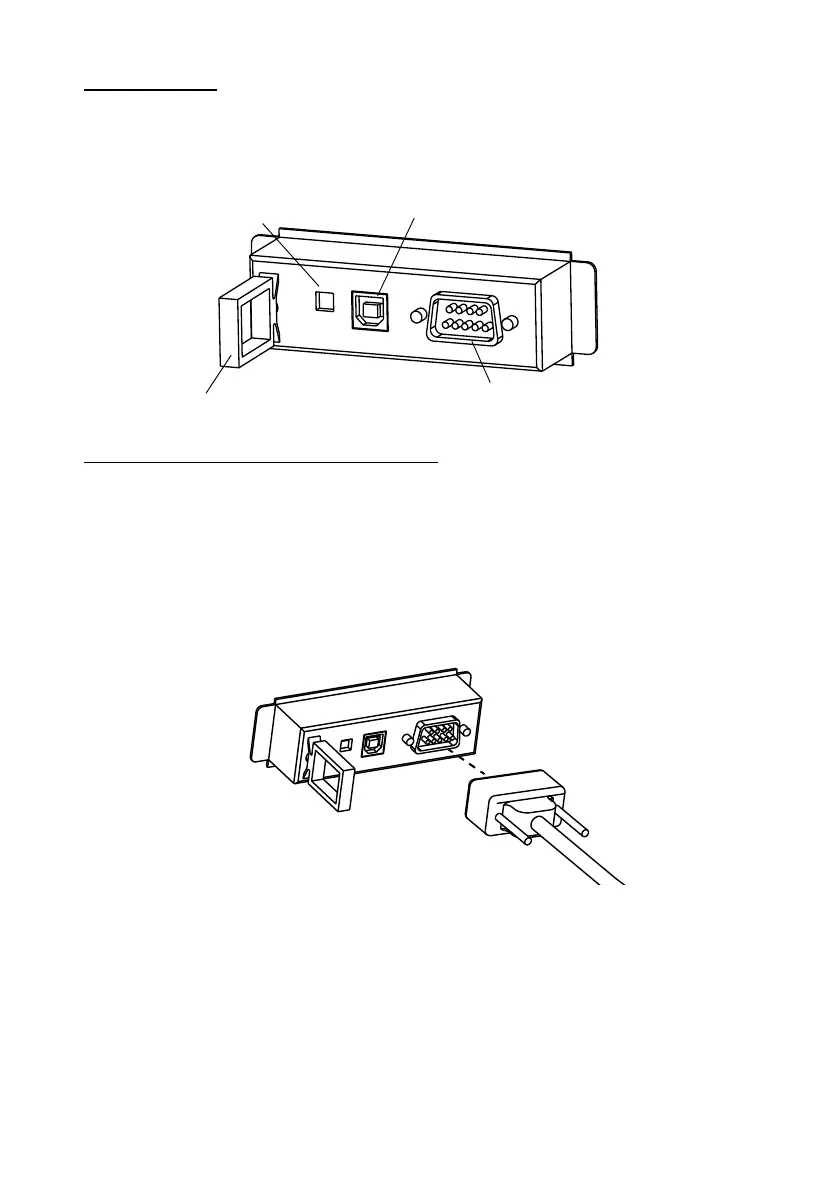
Part Name
The following view shows the part names of the UB-U09.
Connecting Interface Cable
Serial Interface Cable Connection
1. Make sure both the printer and the host computer are turned off.
2. Plug the cable connector securely into the serial interface connector of the
UB-U09.
3. Tighten both screws of the connector cable.
Note:
If there is a grounding wire on the interface cable, secure it to the printer using
either of the screws used for installing the UB-U09.
4. Connect the other end of the cable to the connector on your computer.
5. Change the printer settings to the serial interface settings. For details, see
the settings described in the printer documentation.
locking wire strain relief
serial interface connector


 To Next Page