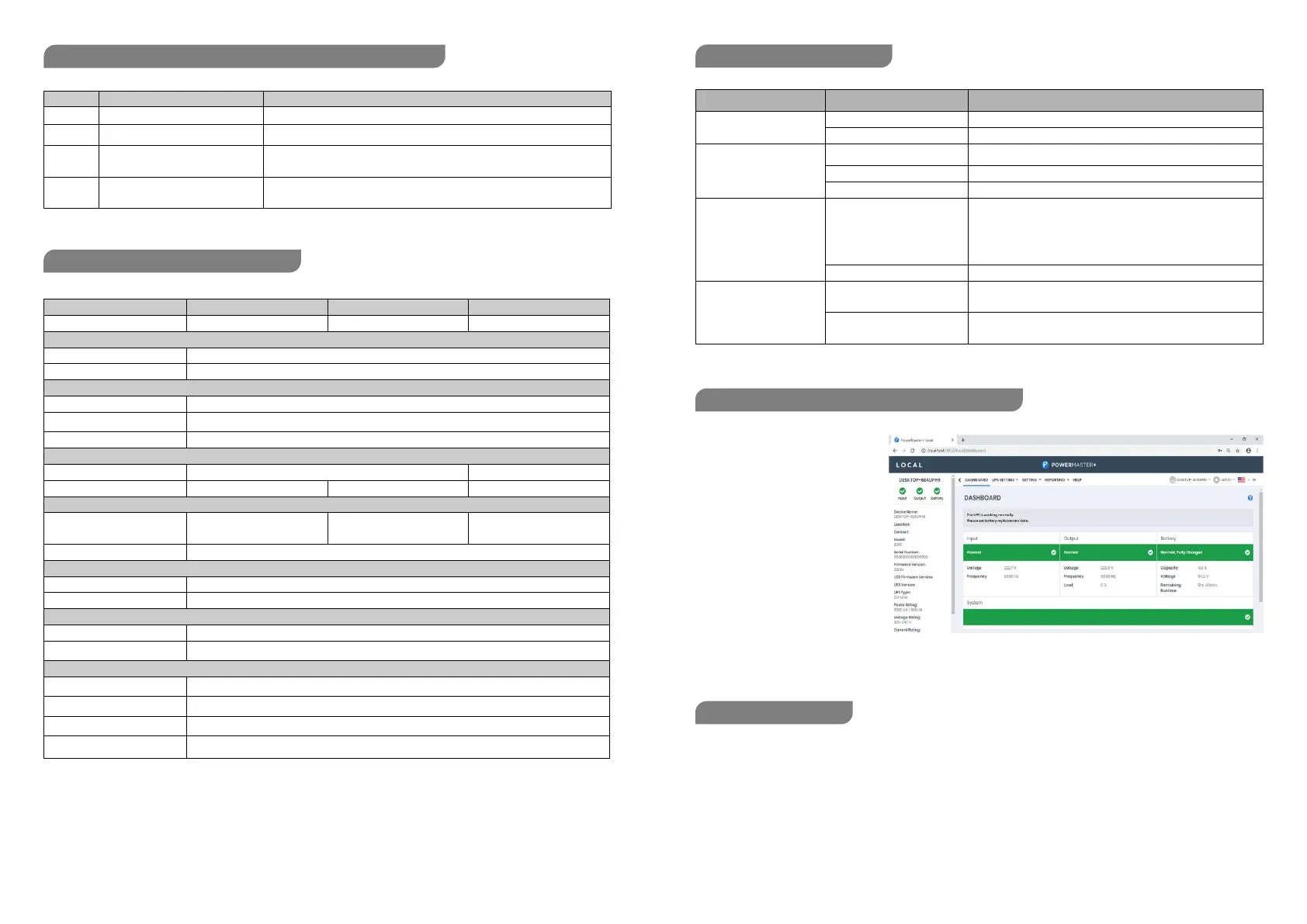
The management software provides
a user-friendly interface for your
power systems. The graphic
interface is intuitive and displays
essential power information at a
glance.
Installation procedure:
1. Download Power Master software
from the internet website:
www.justepyc.com
2. Double-click the file and follow the
installation steps.
3. To access Power Master double-click on the software icon, or enter http://localhost:3052 adress on your web browser.
Before starting any cleaning operation, be sure that:
1. The AC Input Voltage for the UPS has been removed.
2. The UPS is OFF.
Use a cloth moisteened only with water to externally clean the UPS. Before restarting the UPS be sure it is completely
dry.
If the UPS works in an environmental unusually dusty or dirty, remove the dirty from the ventilation holes
If any liquid gets inside the UPS, do not start the unit and contact Technical Service immediately.
LED Alarm Condition
On Off Normal
Flash Beep 1 time In Every 30 Seconds Utility Failure - The UPS is providing battery power to outlets.
Flash Beep 1 time In Every 2 Seconds
Utility Failure - The UPS is providing battery power. The rapid bee ps indicate the
battery will run out of power shortly.
Flash Beep 1 time In Every 0.5 Second
Overload - Occurs when connected equipment exceeds the rating of the unit.
Turn the UPS off and unplug at least one piece of equipment from the UPS.
Capacity (VA/W) 650/360 850/480 1000/600
NominalFrequency 50/60Hz
On Battery Output Voltage 220–240VAC
On Battery Output Frequency 50 Hz+/-1%
Overload Protection Breaker / Fuse
Dimensions WxHxD (mm) 84x159x252 100x 189x325
Weight 3.8kg
4.2kg 6.9kg
Sealed Maintenance Free
Lead Acid Battery
1x 12V/5Ah 1x 12V/5.6Ah 2x 12V/5Ah
Typical Recharge Time 8 Hours
Indicators Power On/ Using Battery
Audible Alarms On Battery, Low Battery, Overload, Fault
Environmental
Operating Temperature 0°C to 40°C
Operating Relative Humidity 0 to 90%
Auto-Charger Yes
Auto-Restart Yes
USB COMM.Port Yes
RJ45/11Communication
Protection Ports
Yes
Problem Possible Cause Solution
The UPS does not perform
expected runtime.
Batteries are not fully charged. Recharge the battery by leaving the UPS plugged in.
Battery is slightly worn out. Contact Technical Support for battery replacing.
The UPS will not turn on.
The unit is not connected to an
AC outlet.
The unit must be connected to a 220-240V outlet.
The battery is worn out. Contact Technical Support for battery replacing.
Mechanical problem. Contact Technical Support.
Outlets do not provide
power to equipment
Fuse is blown or breaker is
tripped due to overload.
Turn the UPS off and unplug at least one piece connected equipment.
Unplug the power cord of the UPS then replace the blown fuse with a
spare one (not included) or press the circuit breaker knob . Connect
power cord then turn the UPS on. Make sure that your spare fuse
meets the specification.
Batteries are discharged Allow the unit to recharge for at least 4 hours.
Power Guide Management
Software is inactive
The USB/serial cable is not
connected
Connect the USB/serial cable to the UPS unit and an open USB/serial port on
the back of the computer. You must use the cable that came with the unit.
The UPS is not providing battery
power
Shutdown your computer and turn the UPS off. Wait 10 seconds and turn the
UPS back on. This should reset the unit
DEFINITIONS FOR ILLUMINATED LED INDICATORS
MANAGEMENT SOFTWARE DOWNLOAD


 To Next Page
 Loading...