5.4 | Input WiFi Information, Scan QR Code
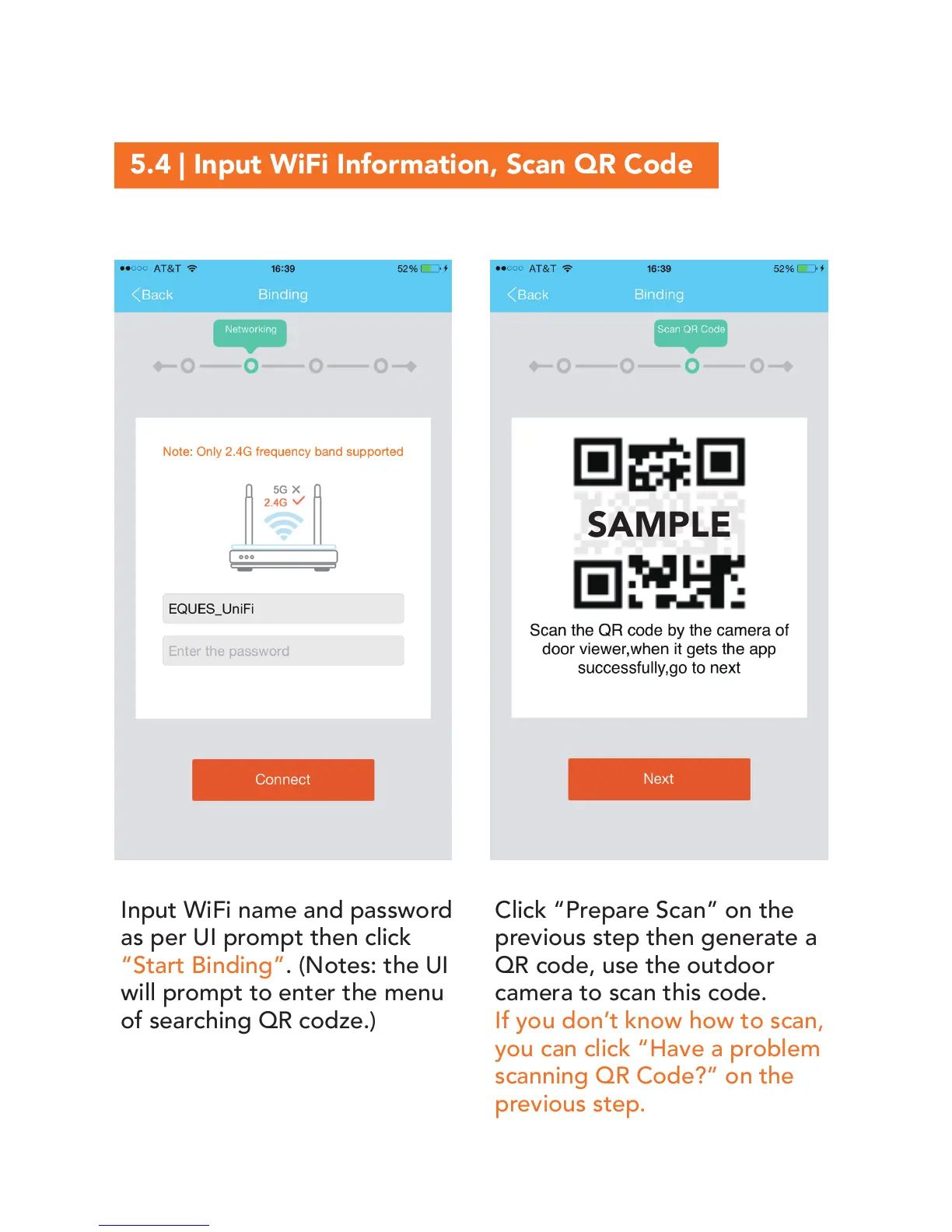
Input WiFi name and password
as per UI prompt then click
“Start Binding”. (Notes: the UI
will prompt to enter the menu
of searching QR codze.)
Click “Prepare Scan” on the
previous step then generate a
QR code, use the outdoor
camera to scan this code.
If you don’t know how to scan,
you can click “Have a problem
scanning QR Code?” on the
previous step.
SAMPLE


 To Next Page