Need help?
Do you have a question about the Eques VEIU Pro and is the answer not in the manual?
Includes mounting bracket for the device.
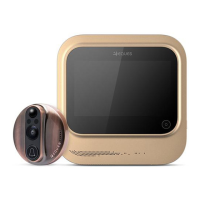
The main doorbell camera unit.
The indoor monitor display unit.
Power adapter for the device.
Cable for charging or data transfer.
Fasteners for mounting the camera.
Identifies parts of the outdoor camera unit.
Identifies parts of the indoor LCD screen unit.
Steps to attach mounting bolts and prepare the outdoor camera.
Steps to peel adhesive film and pass the ribbon cable.
Securing the outdoor camera unit to the door.
Steps to detach the small bracket from the indoor screen.
Steps for connecting cables to the large bracket and attaching the guard board.
Steps to pass bolts through the bracket and tighten screws.
Steps to suspend the monitor onto the bracket.
Final step to turn the doorbell on or off.
Instructions to download the EQUES app via QR codes or search.
Guidance on launching the installed mobile application.
Steps for creating an account, logging in, and adding the doorbell.
Steps to configure WiFi settings and scan the QR code for pairing.
Steps to finalize device binding and view live feed.
Advice on avoiding harsh environments and careful handling of components.
Instructions on using the correct charger and safe charging procedures.
 General
| Type | Smart Video Doorbell |
|---|---|
| Night Vision | Yes |
| Two-Way Audio | Yes |
| Motion Detection | Yes |
| Connectivity | Wi-Fi |
| Operating Temperature | -4°F to 122°F (-20°C to 50°C) |
| Weather Resistance | IP65 |
| Brand | Eques |
| Model | VEIU Pro |
| Category | Accessories |
| Compatibility | iOS, Android |
| Material | Plastic |
| Color | Black |
| Video Resolution | 1080p |
| Field of View | 180 degrees |
| Power Source | Battery |

 To Next Page