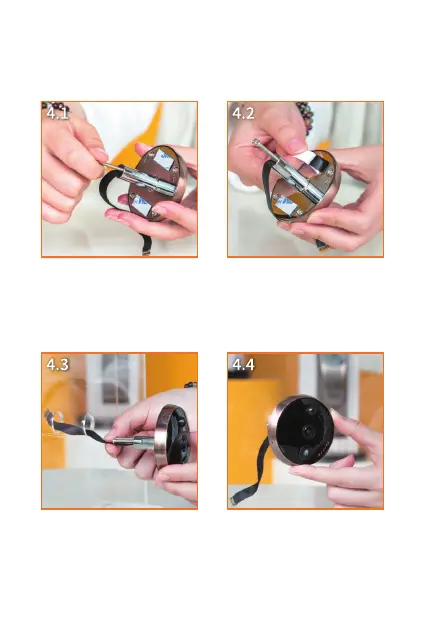
1. Attach two bolts to the
camera loosely.
2. Peel off the protective film
from the adhesive strips.
3. Pass the ribbon cable
through the door hole.
Tip: It will be easier to wrap
the ribbon cable in a paper
tube first then pass through.
4. Fasten the camera by
pressing it firmly onto the door.
04 | Installation


 To Next Page