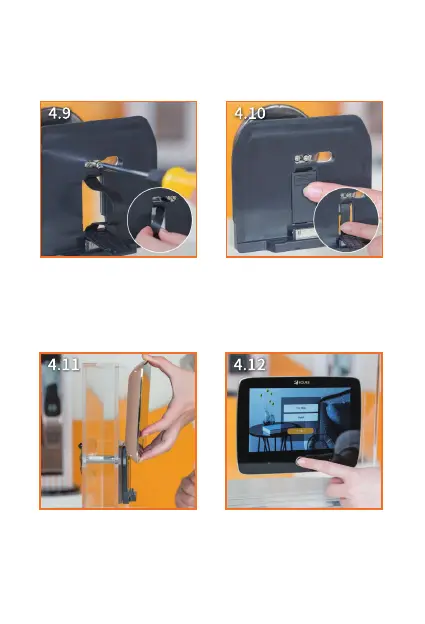
9. Pass the bolts through the
bracket as pictured, then
tighten the screws.
10. Put on the small bracket
with your finger.
11. Suspend the LCD monitor
on the bracket from top to
bottom, its magnet will be
attached automatically.
12. Press the Power key for 5
seconds to turn on/off your
doorbell.
②
①


 To Next Page