6
Operating instructions
DMX mode:
OperatinginaDMXcontrolmodeenvironmentgivestheuserthegreatestexibilitywhenitcomes
tocustomisingorcreatingashow.Inthismodeyouwillbeabletocontroleachindividualtraitofthe
xtureandeachxtureindependently.
ToaccesstheDMXaddressmode,pressthe“MENU”buttononthefrontoftheunittoshowd.001
ontheLEDdisplay.Nowusethe“UP”and“DOWN”buttonstosettherequiredDMXaddress.
Pressthe“ENTER”buttontoconrmthesetting.Thedisplaywillnowshowd-P1ontheLEDdisplay.
Nowusethe“UP”and“DOWN”buttonstochooseoneofthe2/3/4/7/14or26DMXchannelmodes.
Pressthe“ENTER”buttontoconrmthesetting.
Toexitoutofanyoftheaboveoptions,pressthe“MENU”button.
d-p1-3channelmode
d-p2-4channelmode
d-p3-14channelmode
d-p4-26channelmode
d-p5-2channelmode
d-p5-7channelmode
3 channel mode:
CH1 CH2 CH3
Red
(0-255)
Green
(0-255)
Blue
(0-255)
4 channel mode:
CH1 CH2 CH3 CH4
Red
(0-255)
Green
(0-255)
Blue
(0-255)
Master
dimmer
(0-255)
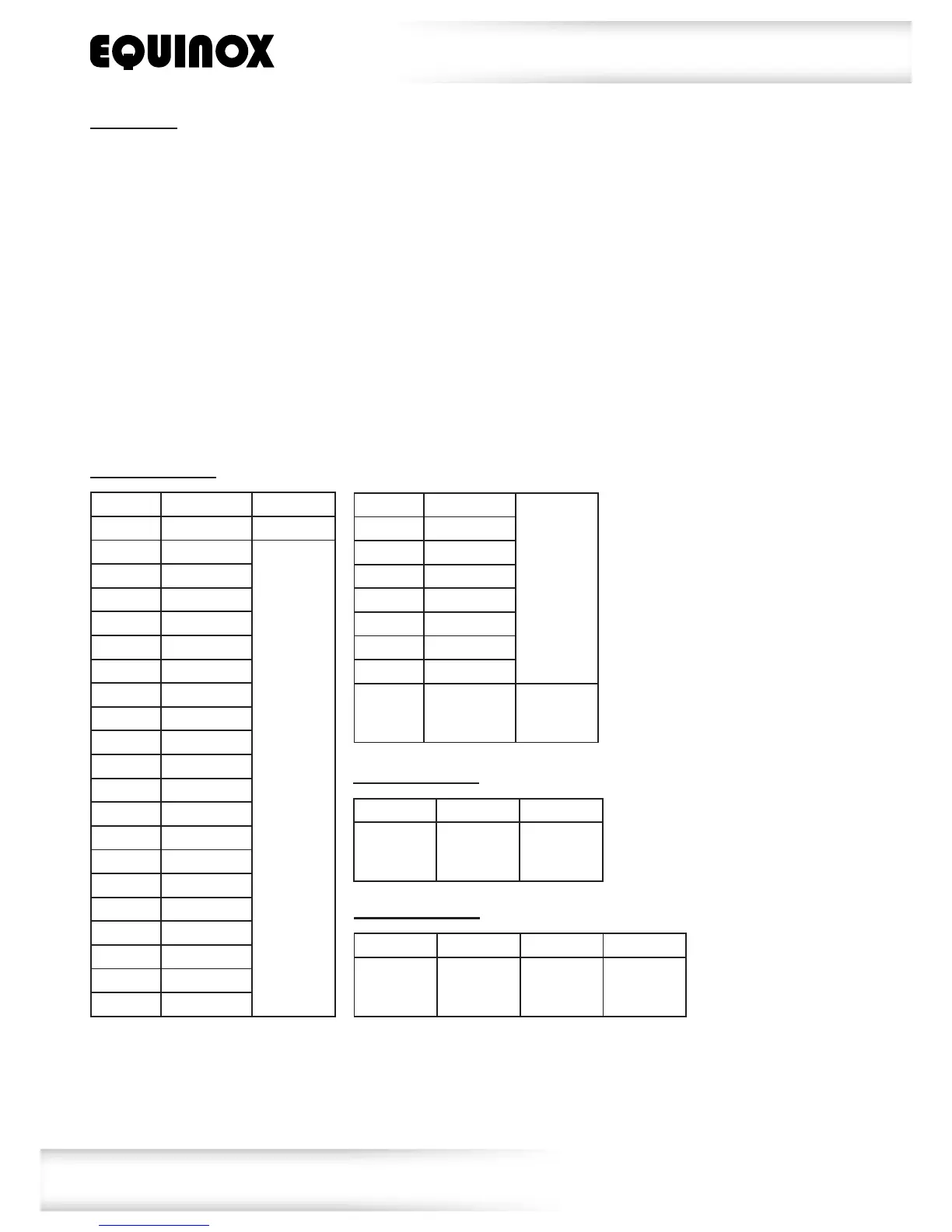
Value CH1 CH2
000-007 Nofuntion Nofuntion
008-015 Red
Speed
(0-255)
016-023 Yellow
024-031 Green
032-039 Cyan
040-047 Blue
048-055 Purple
056-063 White
064-071 Program1
072-079 Program2
080-087 Program3
088-095 Program4
096-103 Program5
104-111 Program6
112-119 Program7
120-127 Program8
128-135 Program9
136-143 Program10
144-151 Program11
152-159 Program12
160-167 Program13
2 channel mode:
168-175 Program14
Speed
(0-255)
176-183 Program15
184-191 Program16
192-199 Program17
200-207 Program18
208-215 Program19
216-223 Program20
224-231 Program21
232-255
Soundactive
mode
Sound
sensitivity
(0-255)


 To Next Page