4 of 8
888-97-394-G-00 rev. C • 08/15
Top View
Snap!
Snap!
3
4
ENGLISH
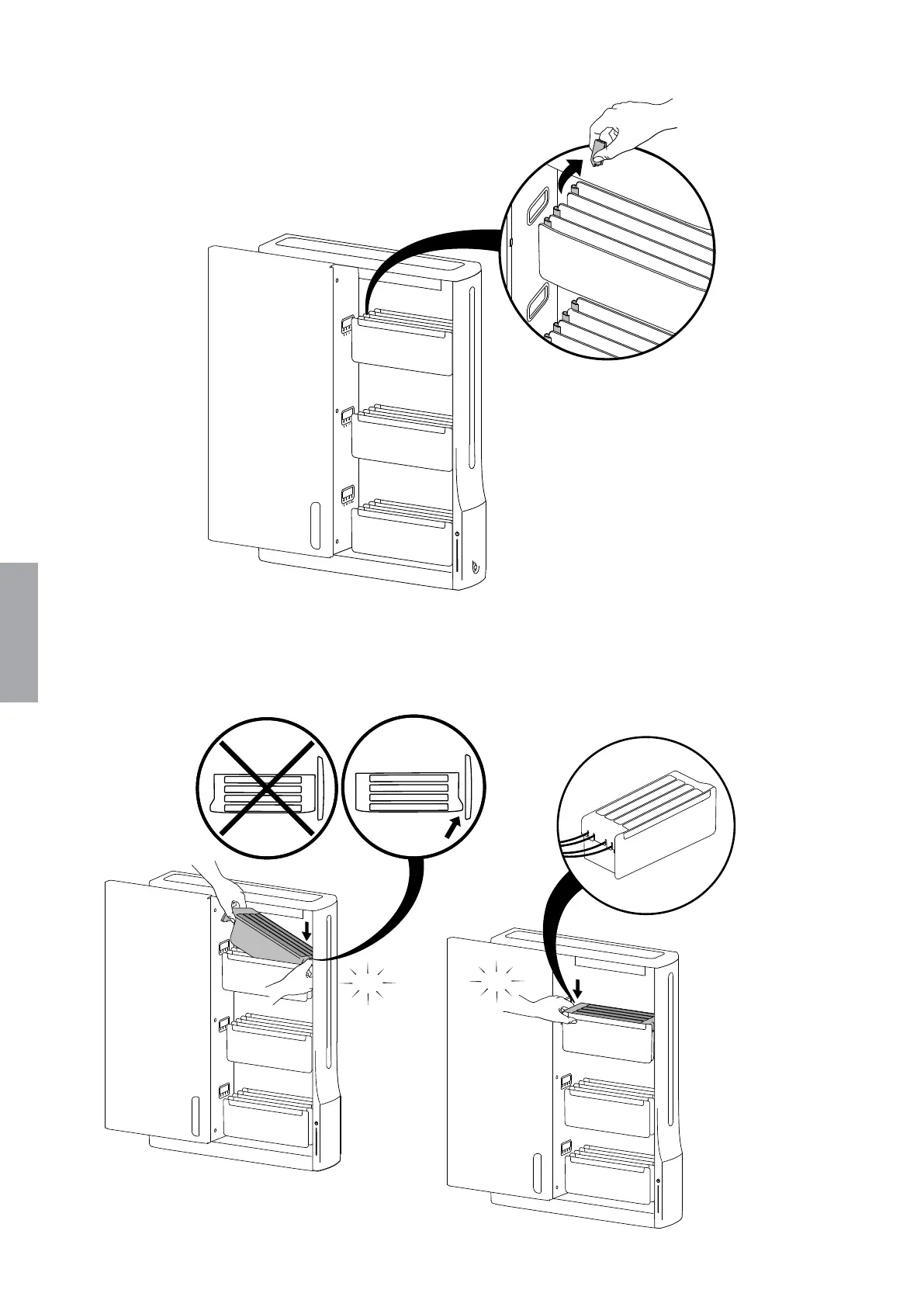
Remove snap clips from tablet tray edges.
Save for future use. Not needed with Easy Charge Kit.
Place Easy Charge tray into tablet tray with the curved side towards the
outer wall and cables on the left side. Press into place and listen for snaps to
engage. Feed cables through holes in side wall.
Route cables
between snaps.


 To Next Page