16
6.2.2. LOW SET
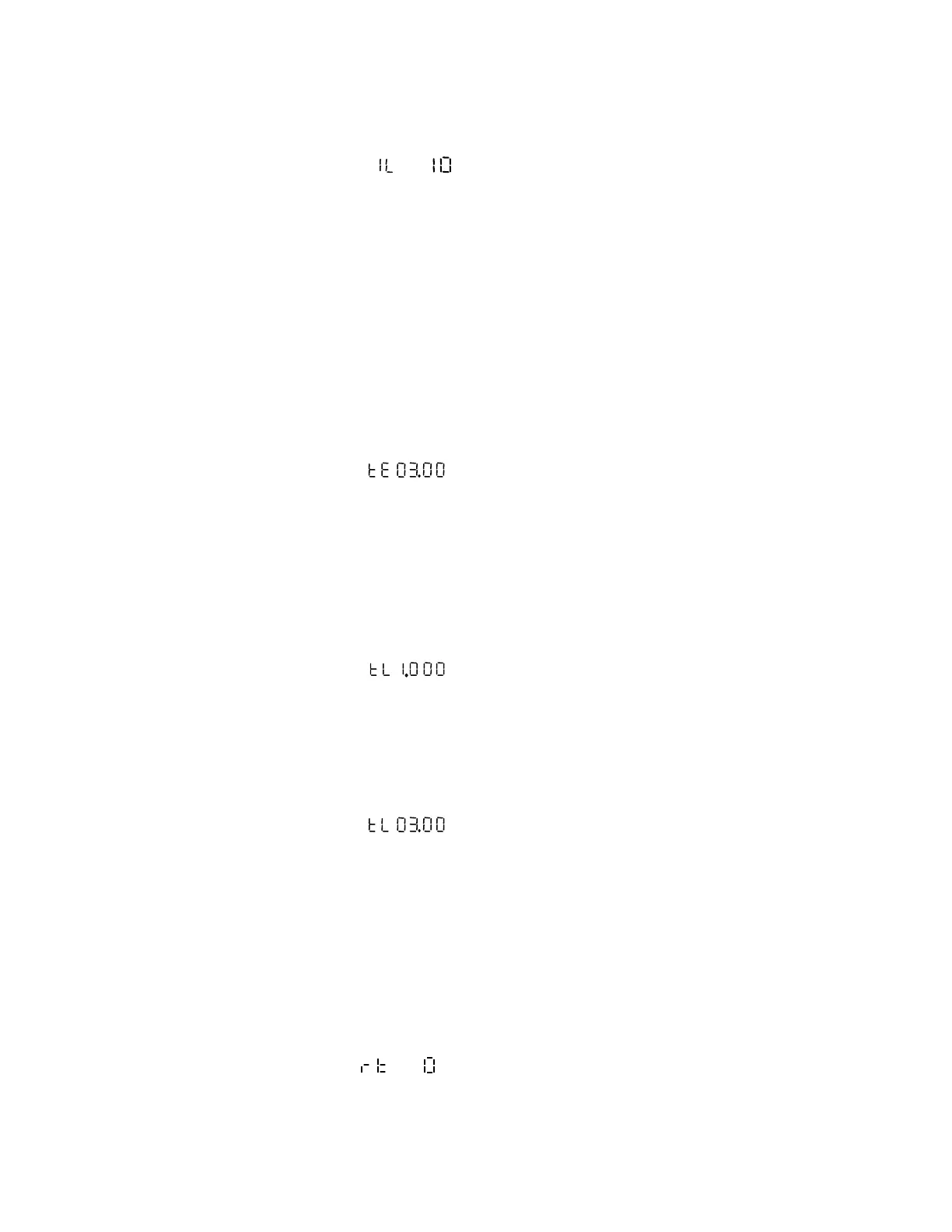
Pressing ↓ key repeatedly get Main menu (represents low set has been set to
10%), press → key (Submenu LED On) to get the Sub menu. Pressing ↑ or ↓ key,
changes the current setting in 5mA increments or decrement. Upon selecting the desired
setting, once again press the → key (Sub menu LED goes OFF) to return to the main
menu.
6.3. Time Setting / Time Multiplier setting
If characteristic is selected as Definite Time Lag, the Time setting range is, 00.00 Sec to
20.00 Sec in steps of 0.01Sec.
If characteristic is selected as Inverse curve, the Time Multiplier setting range is 0.025 to
1.000 in steps of 0.025
6.3.1. E
ARTH FAULT
Pressing ↓key repeatedly get Main menu (represents Earth fault Time setting
has been set to 3.00sec), press → key (Submenu LED On) to get the Sub menu. Pressing
the ↑ or ↓ key, changes the time setting by 0.01sec increment or decrement. Upon
selecting the desired setting, once again press the → key (Sub menu LED goes OFF) to
return to the main menu.
6.3.2. L
OW SET
a) For Inverse Characteristics
Pressing ↓ key repeatedly get Main menu (represents Low set Time Multiplier
setting has been set to 1.000), press → key (Submenu LED On) to get the Sub menu.
Pressing the ↑ or ↓ key, changes the time setting by 0.025 increment or decrement. Upon
selecting the desired setting, once again press the → key (Sub menu LED goes OFF) to
return to the main menu.
b) For Definite Time Lag Characteristics
Pressing ↓ key repeatedly get main menu (represents Low set Time setting has
been set to 3.00 sec), press → key (Submenu LED On) to get the Sub menu. Pressing the
↑ or ↓ key, changes the time setting by 0.01sec increment or decrement. Upon selecting
the desired setting, once again press the → key (Sub menu LED goes OFF) to return to the
main menu.
6.3.3. R
ESET TIME
Setting range: 0 sec to 60 sec in steps of 1 sec.
(Reset time is common for both Earth fault and Low set)
Pressing ↓key repeatedly get Main menu (represents reset time has been chosen
as 0 sec). Press → key (Submenu LED On) to get Submenu. Pressing the ↑ or ↓ key,


 To Next Page