Iris
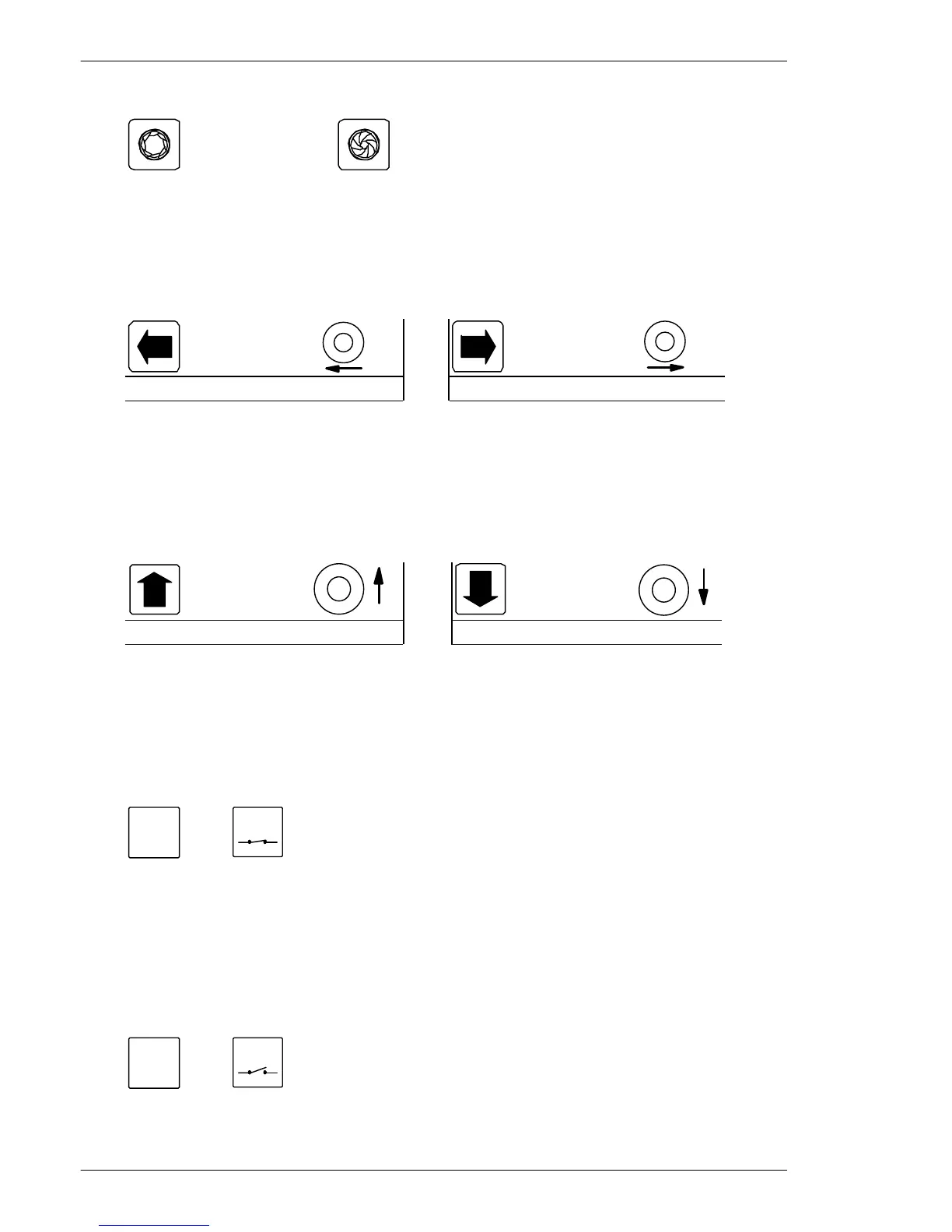
If the picture on the monitor is too dark or light, press:
Iris open Iris close
Note: Available only if supported by the connected equipment.
Pan Camera
If the camera should be panned left or right, press:
1500M/1502M 1501M/1503M 1500M/1502M 1501M/1503M
Pan left Pan right
JOYSTICK NOTE: When controlling a variable speed Pan/tilt, BDR-575 or ICU, pushing the
joystick towards its extremes will increase speed.
Tilt Camera
If the camera should be tilted up or down, press:
1500M/1502M 1501M/1503M 1500M/1502M 1501M/1503M
Tilt up Tilt down
JOYSTICK NOTE: When controlling a variable speed Pan/tilt, BDR-575 or ICU, pushing the
joystick towards its extremes will increase speed.
Activating an AUX-relay
To activate AUX-relay 2, press:
2
ðð
AUX
Activate AUX 2 relay.
Note: If the Keyboard 1500 is set for No Latch operation the relay is
automatically de-activated when the AUX-key is released. If set for Latch
operation the relay will remain activated when the key is released.
De-activating an AUX-relay
To de-activate AUX-relay 2, press:
2
ðð
AUX
De-activate AUX 2 relay.
Note: Used only if the Keyboard 1500 is set for Latch operation.
Installation and Setup instruction for Keyboard Series 1500
Page 12


 To Next Page
 Loading...