This document describes the ELECTRA-T08, an 8-port Gigabit Layer 2 PoE Switch.
Function Description:
The ELECTRA-T08 is a managed PoE switch designed for security transmission and Wi-Fi coverage. It meets the power supply needs of various PoE-enabled equipment such as Wi-Fi APs, IP cameras, Wi-Fi bridges, and IP phones. It utilizes a new generation of high-performance hardware and software platforms, offering flexible, cost-effective full Gigabit access and uplink ports. The switch incorporates complete security mechanisms, improved ACL/QoS strategies, and rich VLAN capabilities, making it easy to manage and maintain. It is suitable for network access, aggregation, and core applications in campus, hotel, and enterprise environments.
PoE (Power over Ethernet) technology allows the transmission of both data signals and DC power supply to IP-based terminals, referred to as Powered Devices (PDs).
Important Technical Specifications:
- Network Standard:
- IEEE 802.3: Ethernet Media Access Control (MAC) protocol
- IEEE 802.3i: 10BASE-T Ethernet
- IEEE 802.3u: 100BASE-TX fast Ethernet
- IEEE 802.3ab: 1000BASE-T gigabit Ethernet
- IEEE 802.3z: 1000BASE-X gigabit Ethernet (fiber)
- IEEE 802.3ad: Link aggregation standard
- IEEE 802.3x: Flow control
- IEEE 802.1p: Traffic priority of the second layer of QoS / Cos protocol (multicast filtering)
- IEEE 802.1q: VLAN Bridge operation
- IEEE 802.1d: STP spanning tree
- IEEE 802.1s: MSTP spanning tree
- IEEE 802.1w: RSTP spanning tree
- IEEE 802.3af
- IEEE 802.3at
- Ports:
- 8 x 10/100/1000Mbps RJ45 ports (all supporting PoE)
- 2 x Gigabit SFP fiber ports (SFP1, SFP2)
- 1 x Console port
- PoE:
- Max 150W total power
- Single port max 46W
- LEDs:
- 10 x Link/Act LEDs
- 8 x PoE LEDs
- 1 x Power LED
- 1 x SYS LED
- Performance:
- Forwarding mode: Store and forward
- Switch Volume (Full-duplex): 20Gbps
- Packet forwarding rate: 14.88Mpps
- 8K MAC address table
- Input: 100-240V/50-60Hz
- Dimension (L×W×H): 285mm×180mm×44mm
- Environmental Conditions:
- Working temperature: 0°C~40°C
- Storage temperature: -40°C~70°C
- Working relative humidity: 10%~90% RH no condensation
- Storage relative humidity: 5%~90% RH no condensation
- Altitude: Products with this logo are only for safe use in areas below 2000m altitude.
Usage Features:
- Shortcut Buttons:
- QOS: Improves video data processing capabilities and monitoring of network issues like "Caton" (stuttering) and "Mosaic" (pixelation).
- Extend: Reduces 1-8 port rate to 10Mbps, extending transmission distance up to 250 meters.
- VLAN: Isolates ports 1-8 from each other, effectively suppressing network storms and improving network performance.
- AI Power Supply: Detects PDs, identifies power failures, and restarts dead equipment.
- RJ45 Ports: All 8 ports are 10/100/1000Mbps PoE ports, supporting IEEE802.3af and IEEE802.3at standards. In CCTV mode, ports 1-8 can support 250 meters power supply with a 10Mbps speed rate.
- SFP Ports: Provides 2 Gigabit SFP optical ports (SFP1, SFP2) for Gigabit SFP modules.
- RST Button:
- A short press with a needle restarts the device.
- A press and hold for more than 5 seconds with a needle resets the device to factory defaults.
- Console Port: Used for connecting to a computer or other terminal for switch management and configuration.
- VLAN Features: Supports 4K VLAN, 802.1Q VLAN, Port VLAN, Voice VLAN, and setting PoE port priority.
- PoE Features: Supports setting PoE power supply period and port power.
- MAC Address Table: Complies with IEEE 802.1d standard, supports automatic MAC address learning and aging, and static, dynamic, and filter address tables.
- Multicast: Supports IGMP v1/v2 Snooping, static multicast, and multicast VLAN.
- QoS: Supports 8 port queue, port priority, 802.1p priority, DSCP priority, and scheduling algorithms like SP, RR, WRR, WFQ.
- Spanning Tree: Supports STP (IEEE 802.1d), RSTP (IEEE 802.1w), MSTP (IEEE 802.1s) protocols, loop protection, and BPDU protection.
- Access Control (ACL): Supports L2 (Layer 2) ~ L4 (Layer 4) packet filtering, port mirroring, port redirection, flow rate limit, and QoS re-marking.
- Plug and Play: Easy to use.
- Fanless Design: Energy-saving, environmentally friendly, and reduces noise.
- Power Saving: Supports port without link power saving function.
- Wire-speed Forwarding: All ports have wire-speed forwarding capability.
- Intelligent Power Supply: Lowest power consumption, ensures PD power needs, and automatically adapts to equipment without specific configuration.
- Power Circuit Protection: Protects the safety of PDs.
- Auto MDI/MDIX: Enabled by default on Ethernet interfaces.
Maintenance Features:
- Security:
- Based on user rating management and password protection.
- Supports restrictions on user access based on port number, IP address, and MAC address.
- Icmp-echo and DoS protection.
- DHCP Snooping and DHCP attack protection.
- Port security and port isolation.
- IP Source protection.
- Management and Maintenance:
- Supports WEB management (HTTP).
- Supports CLI (Telnet, local serial port).
- Supports SNMP V1/V2/V3, compatible with public MIBs.
- Supports LLDP and RMON.
- Supports CPU monitor and memory monitoring.
- Supports system log.
- Supports cable testing.
- Installation Precautions:
- Ensure power is off during installation and wear an anti-static wrist strap.
- Verify correct power supply voltage matches the switch's requirements.
- Avoid overloading the power circuit.
- Do not open the case while the switch is working or even when not powered to avoid electric shock.
- Unplug the switch from the power cord before cleaning; do not use wet cloth or liquid.
- Maintain specified temperature and humidity to ensure long-term stability.
- Regularly dust and keep indoor air clean.
- Ensure proper grounding to prevent static electricity.
- Take anti-grid interference measures for the power supply system.
- Keep switches away from high-frequency, high-power, high-current devices.
- Implement electromagnetic shielding if necessary.
- Ensure good contact between the rack and ground, and the power outlet and earth for lightning protection.
- Use reasonable wiring to avoid internal sense rays.
- For outdoor wiring, use signal lightning protection devices.
- Ensure the rack or workbench is stable, strong, and can withstand at least 5.5Kg.
- Ensure good cooling system or indoor ventilation.
- Ensure the rack is well grounded, and power outlet and switch are within 1.5 meters.
- Install equipment from bottom up in the rack to avoid overload.
- Avoid placing heavy objects on the switch.
- Ensure heat dissipation and air circulation.
- SFP Port Connection:
- Only supports Gigabit fiber modules.
- Avoid excessive bending of fiber (radius of curvature not less than 10cm).
- Ensure cleanliness of the fiber surface.
- Do not look directly into the optical fiber connector to prevent eye injury.

 Need help?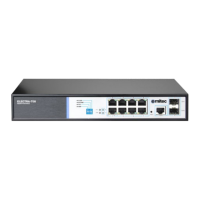

 To Next Page
 General