EasyManua.ls Logo

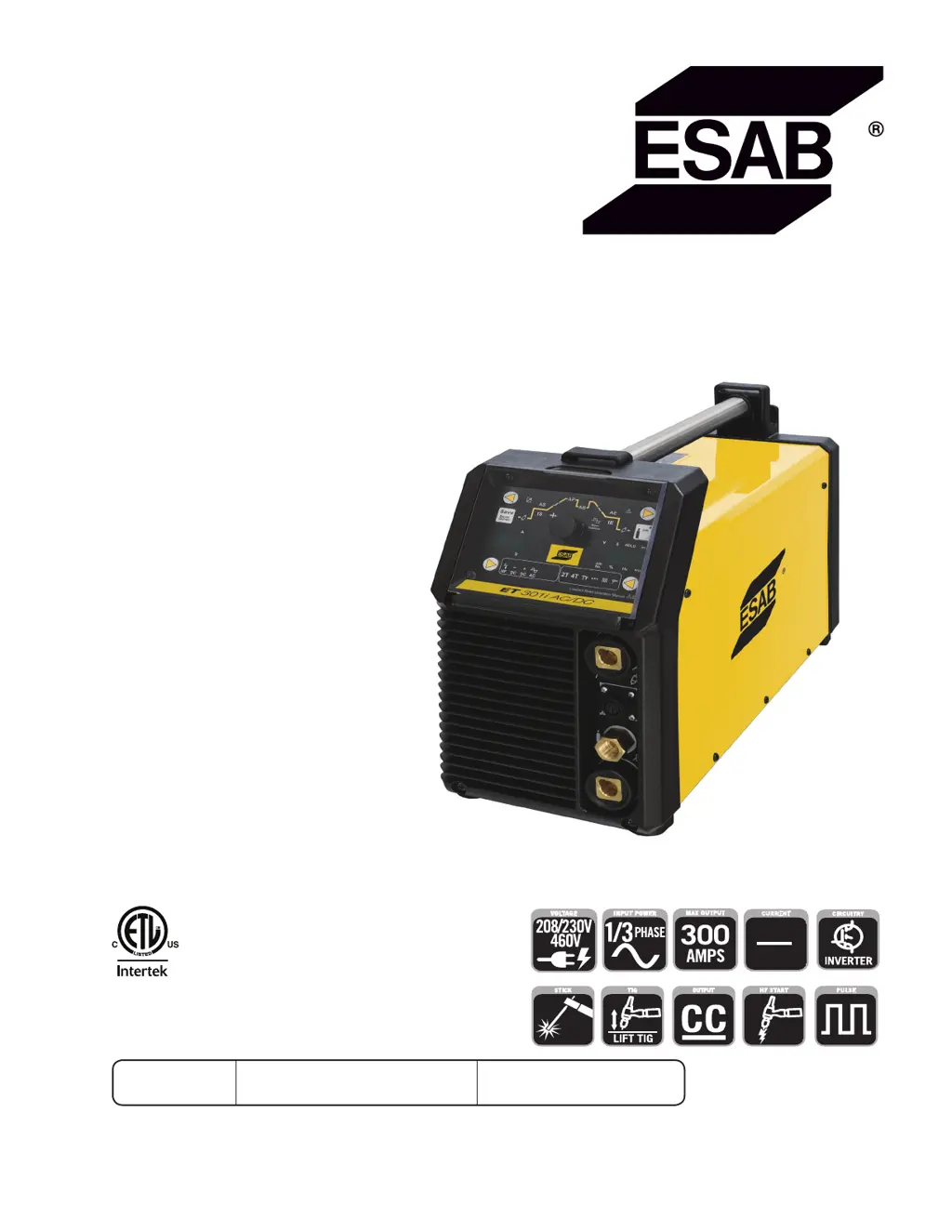
ESAB ET 301i AC/DC - User Manual

ESAB ET 301i AC/DC
74 pages
Print Icon
To Next Page IconTo Next Page
Loading...
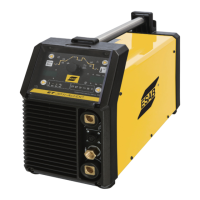
ESAB ET 301i AC/DC
Operating
Manual
4010062
Révision : AE Issue Date: 14/2/2018 Manual No.: 0-5347
esab.com
Art # A-12858_AB
HF START
HF
PULSE
CURRENT
AC
DC

Questions and Answers

  • B
    Brian JonesAug 7, 2025
    What to do if ESAB ET 301i AC/DC creates undercut?
    • B
      Brianna BryantAug 7, 2025
      If your ESAB Portable Generator is creating undercut, it means a groove has formed in the base metal adjacent to the weld toe that hasn't been filled. This can happen if: * The welding current is too high (reduce it). * The welding arc is too long (shorten it). * The electrode angle is incorrect (it should be at least 45° to the vertical face). * The joint preparation doesn't allow the correct electrode angle (allow more room for manipulation). * The electrode is too large (use a smaller gauge). * There's insufficient deposit time at the weave edge (pause momentarily to allow weld metal buildup).
  • J
    jasmine23Aug 14, 2025
    Why portions of weld don't fuse with ESAB ET 301i AC/DC Portable Generator?
    • K
      Kyle GrahamAug 14, 2025
      If portions of the weld run aren't fusing to the metal surface or joint edge when using your ESAB Portable Generator, it could be due to several reasons: * Using small electrodes on heavy, cold plate (use larger electrodes and preheat the plate). * Welding current being too low (increase the welding current). * Incorrect electrode angle (adjust the angle to direct the arc into the base metal). * Travel speed of the electrode being too high (reduce the travel speed). * Scale or dirt on the joint surface (clean the surface before welding).
  • M
    Michael StanleyAug 23, 2025
    How to prevent non-metallic particles trapped in weld metal with ESAB Portable Generator?
    • R
      Robert NelsonAug 23, 2025
      To prevent non-metallic particles from being trapped in the weld metal when using your ESAB Portable Generator, consider the following: * If there's undercut from a previous run, clean the slag and cover it with a run from a smaller gauge electrode. * Ensure adequate joint preparation for penetration and slag removal. * Chip or grind out any irregularities if they're severe. * Use a smaller electrode with enough current for penetration, and remove slag from corners with suitable tools. * Clean the joint before welding. * Use electrodes designed for the welding position to control slag effectively.
  • U
    uleeAug 30, 2025
    What to do if ESAB Portable Generator leaves a gap in the weld root?
    • T
      Tamara StokesAug 30, 2025
      If your ESAB Portable Generator leaves a gap because the weld metal fails to fill the weld root, it might be because: * The welding current is too low (increase it). * The electrode is too large for the joint (use a smaller diameter electrode). * There is insufficient gap (allow a wider gap).

Summary

SECTION 1: SAFETY (ENGLISH)

1.0 Safety Precautions

Details essential safety precautions for operating welding equipment.

General Safety Warnings and Precautions

Covers electrical shock, fumes, noise, fire hazards, and other operating warnings.

SECTION 2: INTRODUCTION

2.01 How To Use This Manual

Guidance on how to navigate and understand the manual's structure and notations.

2.02 Equipment Identification

Instructions on locating and recording the unit's identification numbers.

2.03 Receipt of Equipment

Procedures for checking the equipment upon delivery and reporting any shipping damage.

2.04 Description

Overview of the ESAB ET 301i AC/DC features, technology, and specifications.

2.05 User Responsibility

Defines the user's obligations for correct installation, operation, and maintenance of the equipment.

2.06 Transporting Methods

Safety guidelines and methods for safely moving the welding power source.

2.07 Packaged Items

Lists the components included in the product package.

2.08 Duty Cycle

Explanation of duty cycle and how it is measured for welding power sources.

2.09 Specifications

Detailed technical specifications including power, current, voltage, and dimensions.

2.10 Optional Accessories

Information on available optional accessories for the welding power source.

SECTION 3: INSTALLATION, OPERATION AND SETUP

3.01 Environment

Guidelines on suitable environmental conditions for operating the welding power source.

3.02 Location

Recommendations for selecting an appropriate and safe location for the welder.

3.03 Ventilation

Instructions on ensuring adequate ventilation to prevent hazards from welding fumes.

3.04 Mains Supply Voltage Requirements

Specifies voltage requirements, wiring, and fuse recommendations for safe power connection.

3.05 High Frequency Introduction

Details the importance and precautions for installing high frequency welding equipment.

3.06 High Frequency Interference

Explains how HF interference is transmitted and methods to mitigate it.

3.07 Electromagnetic Compatibility

Discusses EMC requirements, user responsibility, and methods to reduce electromagnetic emissions.

3.08 Power Source Controls, Indicators and Features

Identifies and describes the various controls, indicators, and features on the welding power source.

Control Panel Overview

Detailed description of the welding mode button, indicator lights, and digital displays.

Parameter Selection and Adjustment

Explains how to use buttons and controls to select and adjust welding parameters.

Digital Meters and Indicator Lights

Details the functions of digital meters and indicator lights for displaying parameters and status.

Indicator Lights for Welding Parameters

Describes indicator lights for various welding parameters like Pre Flow, Current, Slope, and Balance.

Additional Indicator Lights and Buttons

Explains indicator lights for Diameter, Post Flow, Gas Purge, TipTronic, and Save Job functions.

3.09 Setup for TIG (GTAW) Welding

Step-by-step guide for connecting and configuring the machine for TIG welding.

3.10 TIG (GTAW) Programming Mode

Details how to select and set various TIG operating modes and output types.

3.11 TIG (GTAW) Welding Secondary Parameters

Guides on setting secondary parameters for TIG welding, including ignition and slope controls.

3.12 GTAW Spot Welding Mode with DWELL Time (Stitch Mode)

Instructions for enabling and configuring automated spot welds using the Stitch function.

3.13 Tip Tronic Operation

How to save, load, and manage jobs using the TipTronic feature for TIG welding.

3.14 Setup for Stick (SMAW) Welding

Procedure for connecting electrode holder and work lead for Stick welding.

3.15 Stick (SMAW) Programming Mode

Details how to select Stick welding mode and output types, and set parameters.

3.16 User Specific Menus

Configuration options for water cooler error display, downslope mode, and foot control settings.

3.17 Special Function

Guides for performing Soft Reset and Master Reset procedures on the welding power source.

Special Functions and Tests

Procedures for control panel tests, fan tests, and water pump tests.

3.18 Shielding Gas Regulator Operating Instructions

Safety guidelines and operating procedures for using shielding gas regulators and flowmeters.

3.19 Foot Control, Part No. W4013200 (Optional Accessory)

Instructions for installing and operating the optional foot control for current adjustment.

SECTION 4: BASIC WELDING GUIDE

4.01 Stick (SMAW) Basic Welding Technique

Fundamental techniques for stick welding, including electrode selection and joint preparation.

Distortion and Its Causes

Explanation of distortion in welding and its primary causes like weld metal contraction.

Overcoming Distortion Effects

Methods to minimize welding distortion, including peening, stress distribution, and preheating.

4.02 Stick (SMAW) Welding Troubleshooting

Guides for identifying and resolving common faults and problems encountered during stick welding.

4.03 TIG (GTAW) Basic Welding Technique

Introduction to TIG welding, covering its principles, tungsten electrode types, and filler wire selection.

4.04 TIG (GTAW) Welding Problems

Troubleshooting common issues and faults encountered during TIG welding operations.

SECTION 5: POWER SOURCE PROBLEMS AND ROUTINE SERVICE REQUIREMENTS

5.01 Basic Troubleshooting

Guidance on diagnosing and resolving common power source issues using information messages and error codes.

5.02 Power Source Problems

Lists common power source faults, their causes, and recommended remedies.

5.03 Routine Service and Calibration Requirements

Procedures for routine inspection, testing, insulation resistance checks, and calibration of the power source.

5.04 Cleaning the Welding Power Source

Instructions for safely cleaning the interior and exterior of the welding power source.

SECTION 6: KEY SPARE PARTS

6.01 Key Spare Parts

Diagrams and identification of essential spare parts for the welding power source.

APPENDIX A: CIRCUIT DIAGRAM OF ET 301 i AC;DC

Revision History

ESAB ET 301i AC/DC Specifications

General IconGeneral
BrandESAB
ModelET 301i AC/DC
CategoryPortable Generator
LanguageEnglish

Related product manuals