2
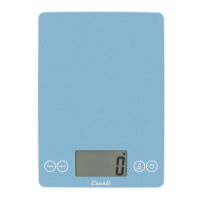
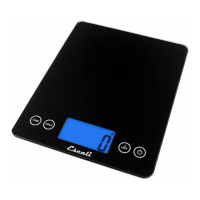
Thank you for purchasing the Escali Arti Digital Scale!
Please read the following operation information to ensure the proper
function of your new scale.
HOW TO WEIGH
1. Press the
⏻
key. All display segments will appear for
approximately 2 seconds before resetting to zero.
2. Press the
UNIT
key to select the units (lb+oz, fl oz, g, oz,
or ml).
3. Place item slowly on the platform.
4. Press the
⏻
key to turn the scale off.
HOW TO USE THE TARE FEATURE
This feature allows you to obtain the exact weight of an item in a
container; by subtracting the weight of the container.
1. Place the container, without the item, slowly on the platform.
2. Press the
TARE
key. The weight of the container will be
removed, and the display will reset to zero.
3. Slowly add the item to the container. The display will show the
weight of the item only.
4. You may continue to determine the weight of each additional item as
they are added by repeating steps 2 & 3.
HOW TO CLEAR THE TARE FEATURE
Remove all items from the platform and press the
TARE
or power key.
HOW TO USE THE HOLD FEATURE
This feature is used to weigh oversized items that block the display.
1. Press the
HOLD
key.
2. Place an item on the scale; a beep sound is heard when the weight
is stable.
3. Remove the item, and the weight will show on the display for 5
seconds.
Attention!
The scale will tare any amount of weight. Once the total
weight actually on the scale reaches the maximum capacity of 15
pounds (7000 g) the overload warning code (0-Ld) will display.


 To Next Page