3
Measuring What’s Next™
and press the UNIT key.
HOLD FEATURE
This feature is to weigh oversized items that block the display. After
placing an item on the scale, a beep sound is heard when the weight is
stable. You can now remove the item, and the weight will appear on the
display for 5 seconds.
PROPER USE & CARE
•
Use and stow the scale at room temperature.
•
Use on a flat, level, and stable surface.
•
The scale is an instrument of precision. Do not submit the scale to
shaking, excessive vibration, or other rough treatment.
•
The display may be affected by electromagnetic disturbances such
as radios, microwaves, or cell phones. If such disturbances occur,
remove the source of the disturbance, and restart the scale.
•
Disassembling or tampering with the scale voids the warranty.
•
Clean the scale with dish soap, and a damp cloth.
•
Do not submerge in liquid; the scale is not waterproof.
WARNING MESSAGES
0-Ld Overload warning
Out2 Load cell is damaged or needs recalibration
Lo Low battery warning
PRODUCT SPECIFICATIONS
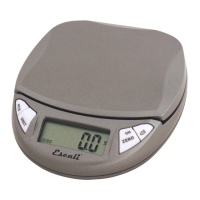
Model: PR500S
Capacity: 500 g / 18 oz
Graduation: 0.1 g / 0.005 oz
Product Dimensions: 4.5” x 3.75” x 1”
Platform Dimensions: 3.75” x 3.5”
Power Source: 1 - 9-Volt battery (included)
Automatic shut-off: 5 minutes


 To Next Page