Home
ESCAM
Security Camera
QF370
Page 5
ESCAM QF370 - Page 5
8 pages
Manual
Save Page as PDF
To Next Page
To Next Page
To Previous Page
To Previous Page
Loading...
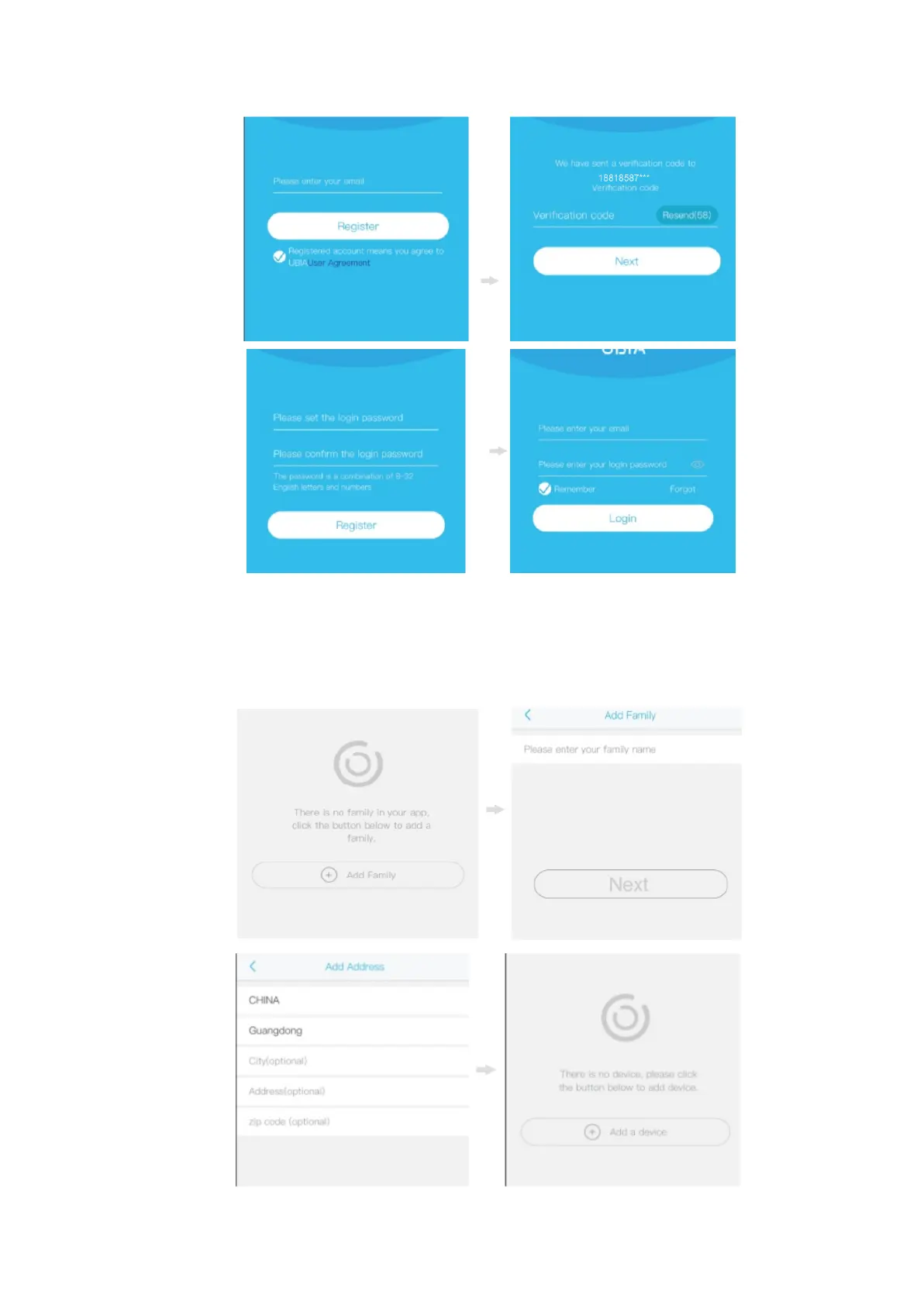
Next,
you
have
to
set
the
WiFi
connection.
T
o
do
so,
press
Add
Family
,
enter
your
family
name,
and
press
Next.
Put
the
necessary
information
like
Country
,
Province,
City
,
and
press
Done.
On
the
next
screen,
press
Add
Device
to
add
your
camera.
4
6
Table of Contents
Main Page
Quick Setup
3
Device Settings
7
Related product manuals
ESCAM QF290
5 pages
ESCAM 360eyeS
25 pages


 To Next Page