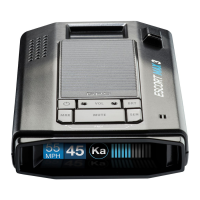
CONNECTED RADAR / LASER DETECTOR
Download and Connect to Drive Smarter
®
Power on the MAX 360c MKII.
Download and Install the Drive Smarter
®
app on your smartphone.
After registering your account in the
Drive Smarter
®
app, press the Account
button and then select “Add New Device”.
Note: the first time you run the app,
you will be prompted to register a
new account.
Follow the prompts in the
Drive Smarter
®
app to connect
MAX 360c MKII and your mobile
Wi-Fi hotspot.
1
2
3
4
Troubleshooting Tips
If your unit is not operating properly, please follow these
troubleshooting steps:
• Make sure the power cord is properly connected to your MAX 360c MKII
• Make sure the socket of your vehicle’s cigarette lighter or 12V accessory
port is clean and free of corrosion
• Make sure the power cord’s adapter is firmly seated in the socket of the
cigarette lighter or 12V accessory port and the power LED is on
For detailed and up-to-date FAQs, please visit https://support.escortradar.com
Note: the first time you run the app,
For detailed and up-to-date FAQs, please visit https://support.escortradar.com
drivesmarter.com/downloads
Drive Smarter®

 Need help?
 General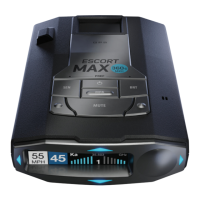

 To Next Page