EasyManua.ls Logo

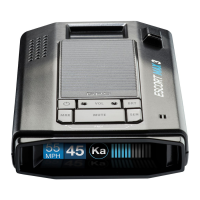
Escort iXc - User Manual

Escort iXc
10 pages
Print Icon
To Next Page IconTo Next Page
Loading...
Don’t be conf ined by the range
of an average radar detector.
Connected Car
Compatible
Live Detection &
Limitless Range with
ESCORT Live app
Intelligent, Precise
Driver Alert System
Patented AutoLearn
Rejects False Alerts
Owners Manual
AW-1220068-1B ESCORT iXc Manual Rev A, ECN 1180808
Question and Answer IconNeed help?

Do you have a question about the Escort iXc and is the answer not in the manual?

Summary

Getting Started: Registration and Connectivity

Device Registration Process

Steps to register the ESCORT iXc unit via EscortRadar.com.

ESCORT Live App Setup Guide

Guides for downloading and connecting the ESCORT Live app via Bluetooth.

Installation Guide

EZ Mag Mount Installation

Step-by-step guide for attaching the detector to the windshield mount.

Operating the ESCORT iXc

Detector Button Functions

Explains the operation of Power, Mark Location (MRK), Mute, Volume, Brightness (BRT), and Sensitivity (SEN) buttons.

Customizing Settings and Preferences

Key Preference Options

Details various settings like User Mode, Display Color, Alerts, and AutoLearn.

Advanced Settings and Updates

AutoPower and Band Enable Configuration

Configures automatic power-off and radar band detection segments.

Markers, Data Management, and Reset

Summary

Getting Started: Registration and Connectivity

Device Registration Process

Steps to register the ESCORT iXc unit via EscortRadar.com.

ESCORT Live App Setup Guide

Guides for downloading and connecting the ESCORT Live app via Bluetooth.

Installation Guide

EZ Mag Mount Installation

Step-by-step guide for attaching the detector to the windshield mount.

Operating the ESCORT iXc

Detector Button Functions

Explains the operation of Power, Mark Location (MRK), Mute, Volume, Brightness (BRT), and Sensitivity (SEN) buttons.

Customizing Settings and Preferences

Key Preference Options

Details various settings like User Mode, Display Color, Alerts, and AutoLearn.

Advanced Settings and Updates

AutoPower and Band Enable Configuration

Configures automatic power-off and radar band detection segments.

Markers, Data Management, and Reset

Escort iXc Specifications

General IconGeneral
BrandEscort
ModeliXc
CategoryRadar Detector
LanguageEnglish

Videos

How to Connect your Escort iXc to WiFi

Related product manuals