EasyManua.ls Logo

Escort PASSPORT iQ - User Manual

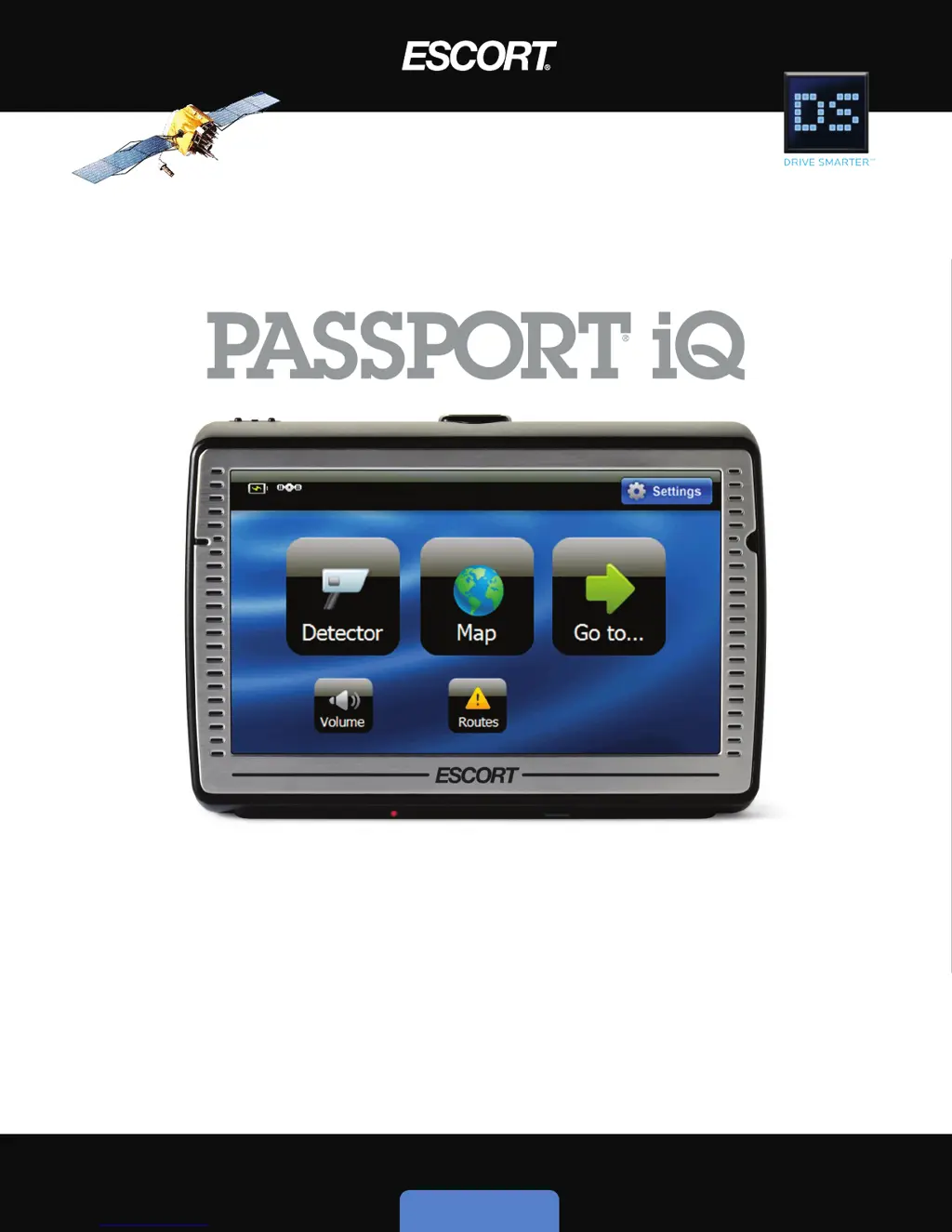
Escort PASSPORT iQ
70 pages
Print Icon
To Next Page IconTo Next Page
Loading...
User’s Manual
U L T I M A T E D R I V I N G C O M P A N I O N
Ultimate Radar/Laser Detection
Easy 3D Navigation
Register @www.EscortInc.com

Table of Contents

Other manuals for Escort PASSPORT iQ

Questions and Answers

  • W
    William HickmanAug 16, 2025
    What to do if my Escort PASSPORT iQ Radar Detector cannot turn on?
    • J
      Jose CortezAug 17, 2025
      If your Escort Radar Detector doesn't turn on, make sure the SmartCord is firmly attached at both ends of the cable. If that doesn't work, the built-in rechargeable battery may be weak; use the SmartCord to supply power or charge the battery.
  • J
    Jessica OlsenAug 19, 2025
    Why is my Escort PASSPORT iQ not sensitive to radar or laser?
    • C
      carl93Aug 19, 2025
      Ensure that the windshield wipers do not block the radar antenna and that the laser lens is not behind tinted areas. Also, determine if your vehicle has an Instaclear®, ElectriClear®, or solar reflective windshield, which may deflect radar or laser signals.
  • T
    thomasleeAug 22, 2025
    What to do if my Escort Radar Detector has intermittent GPS reception?
    • H
      hineskarenAug 22, 2025
      If your Escort Radar Detector experiences intermittent GPS reception, it could be due to a weak built-in rechargeable battery. Try using the SmartCord to supply power or charge the battery. Alternatively, the system software may have failed after a change; try turning the unit off and on again.
  • K
    Kim LoveAug 25, 2025
    What to do if my Escort PASSPORT iQ Radar Detector will not activate after charging?
    • T
      tammyglennAug 26, 2025
      If your Escort Radar Detector won't activate after charging, the built-in battery may be overly discharged from long periods of disuse. To reset it, disconnect it from external power, press the reset button on the bottom of the device, then reconnect it to an external power source and slide the power switch to the right.
  • M
    Mrs. Claudia WalkerAug 27, 2025
    Why does my Escort Radar Detector beep at the same location every day?
    • M
      Michael WillisAug 27, 2025
      Your Escort Radar Detector may be beeping at the same location every day because an X-band motion sensor or intrusion alarm is located within range of your route. See 'Locking out false alerts' for details on how to lock out this alert.
  • B
    Blake GomezAug 30, 2025
    What to do if GPS cannot receive satellite signals on Escort PASSPORT iQ Radar Detector?
    • T
      Teresa HigginsAug 30, 2025
      If the GPS on your Escort Radar Detector cannot receive satellite signals, the GPS might be obstructed by buildings or blocked by a metal enclosure. Make sure to use the unit outside.
  • M
    Marcus WilliamsSep 2, 2025
    Why is my Escort PASSPORT iQ Radar Detector's audible alert becoming softer?
    • M
      Miss Barbara CarterSep 2, 2025
      The Escort Radar Detector's audible alerts may be becoming softer because the detector is in AutoMute mode. See 'Activating/deactivating the detector AutoMute feature' for details.
  • B
    Barbara StrongSep 5, 2025
    Why is there no sound from my Escort PASSPORT iQ Radar Detector?
    • K
      Kristopher DavisSep 5, 2025
      If there is no sound coming from your Escort Radar Detector, the volume may be turned down or turned off. Turn up the volume. See 'Volume' for details on how to adjust.
  • L
    Lisa CarlsonSep 7, 2025
    Why is the screen very dark on my Escort Radar Detector?
    • S
      Steven GonzalesSep 7, 2025
      If the screen on your Escort Radar Detector is very dark, the brightness may be turned down. See 'Setting screen brightness' for details on how to adjust.
  • D
    daisy39Sep 10, 2025
    Why didn't my Escort PASSPORT iQ alert me when a police car was in view?
    • T
      Tara ManningSep 10, 2025
      VASCAR (Visual Average Speed Computer and Recorder), a stopwatch method of speed detection, may be in use or the officer may not have radar or laser unit turned on.

Summary

SECTION 1: SETTING UP PASSPORT IQ

Important Safety and Product Information

Outlines critical safety guidelines and warnings for using the PASSPORT iQ.

SECTION 2: USING PASSPORT IQ

Power & Initial Setup

Covers turning the device on/off, initial configuration, and safety warnings.

Go-To Screen;GPS Navigation Menu

Explains how to initiate navigation and select destinations.

Creating a Route to an Address

Step-by-step guide for entering an address to calculate a route.

Searching for a Point of Interest

How to find and navigate to specific locations like restaurants or landmarks.

Managing Your Routes

Details creating, saving, and managing custom routes for regular travel.

Map View Operations

Details how to use and customize the map display and navigation prompts.

Detector View Operations

Explains how to customize the detector display, sensitivity, and alerts.

Detector Settings

Configures sensitivity, alert tones, filters, and other detection parameters.

SECTION 4: TROUBLESHOOTING, MAINTENANCE & SERVICE

Troubleshooting

Offers solutions for common problems encountered with the PASSPORT iQ.

Service Procedure

Outlines the steps to follow if the device requires repair or service.

Escort PASSPORT iQ Specifications

General IconGeneral
BrandEscort
ModelPASSPORT iQ
CategoryRadar Detector
LanguageEnglish

Related product manuals