7 | P a g e
POWERING DETECTOR
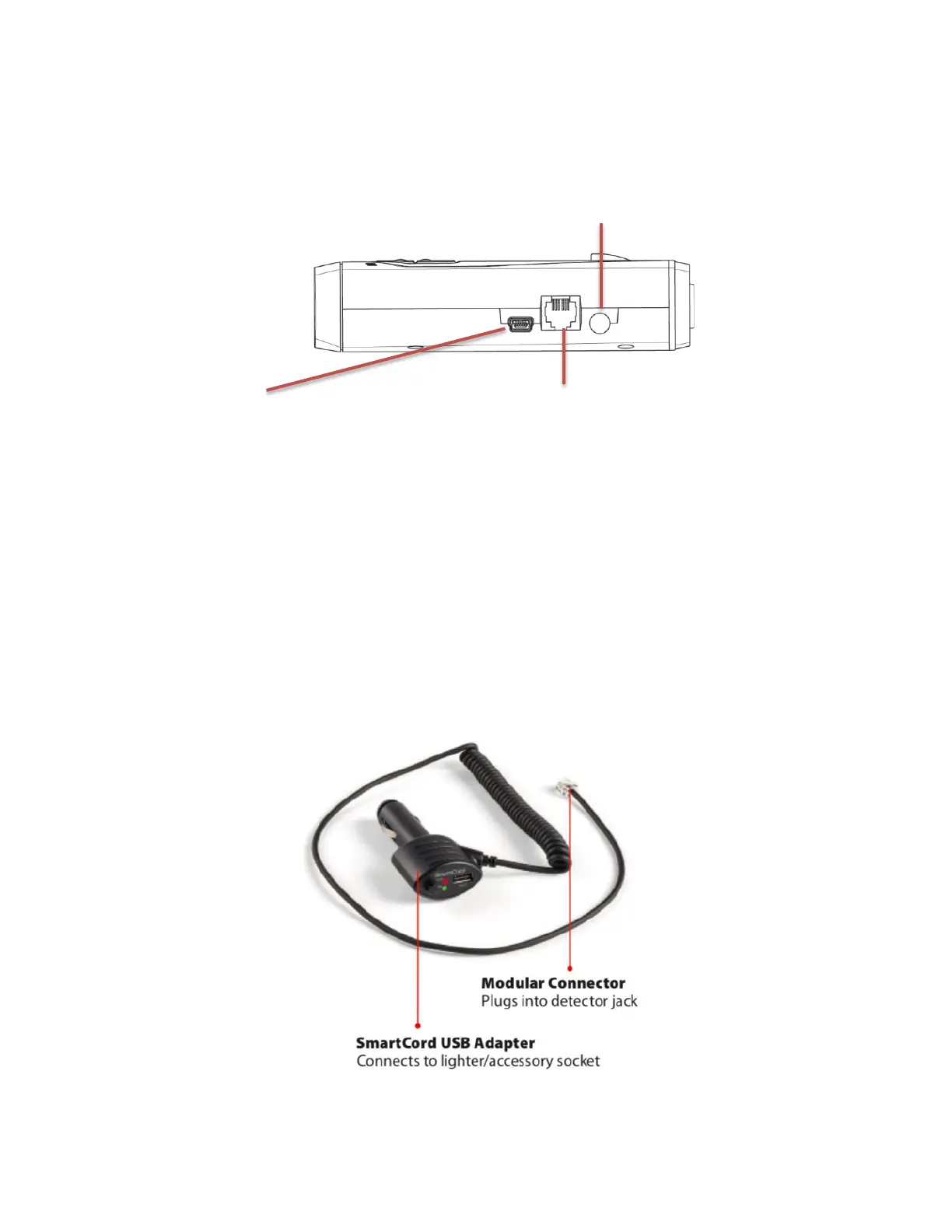
1. Plug small end of SmartCord USB into modular jack on RedLine 360C and large end of
SmartCord USB into your car’s lighter/accessory socket.
2. RedLine 360c should power on automatically. If not, press the Power button.
USING SMARTCORD USB
Mute Button:
- Press to mute the audio for a specific alert.
- Press three times to lock out a false alert.
- Press twice while receiving a locked-out alert to unlock.
- When connected to ESCORT Live or a Wi-Fi hotspot, press and hold mute button on
unit or cord to manually report to other users a verified X or K-band alert, or a police
officer observing traffic.
Alert Light: Blinks red when receiving a radar or laser alert.
Power Light: Lights green when receiving power.
USB Charging Port: Charge smartphones, tablets and other USB-charged Devices.


 To Next Page