8 | P a g e
BASIC OPERATION
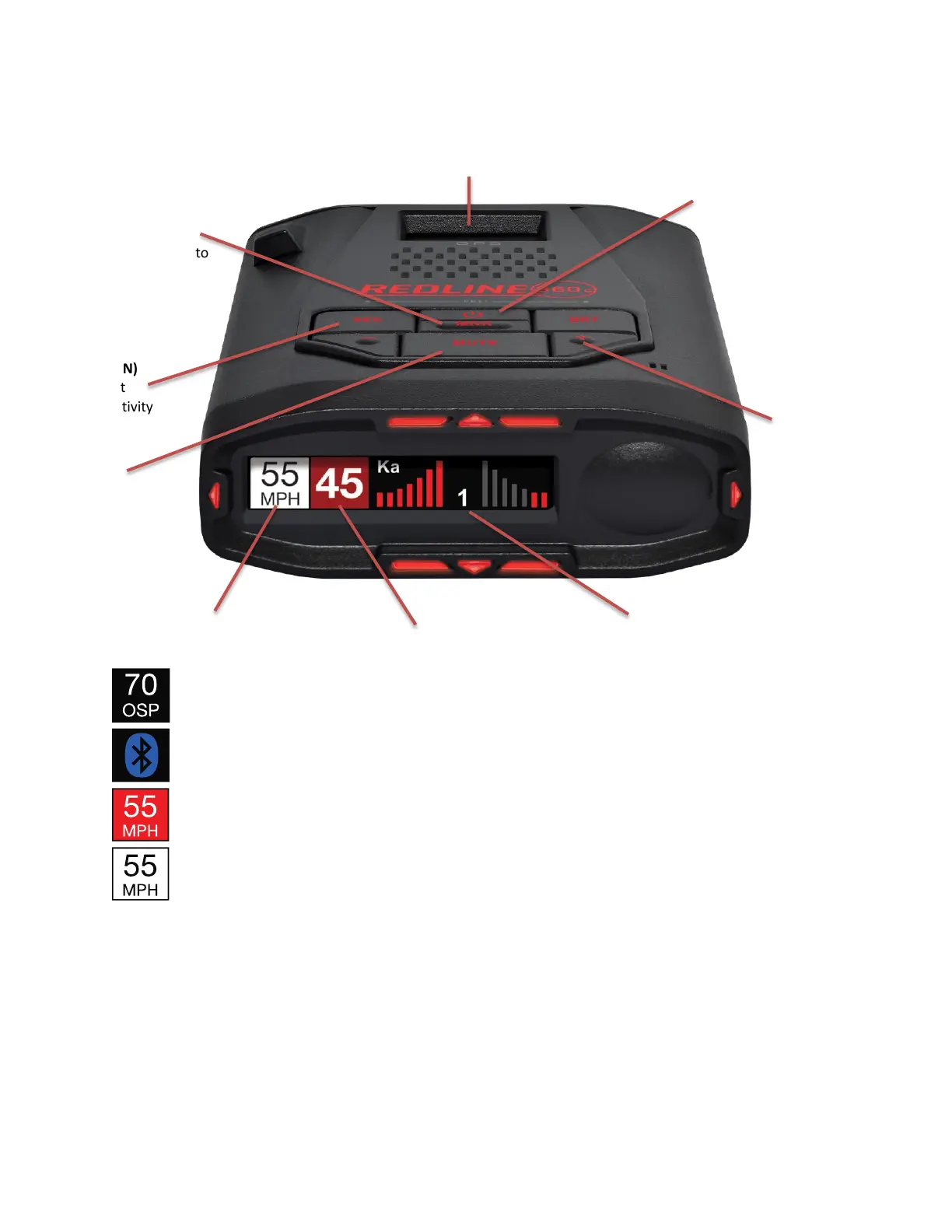
Over Speed Alert Setting
Bluetooth is connected to smartphone
Speed Limit data from Escort Live, “--“ means no data is available
Speed Limit data from Wi-Fi hotspot connection
SENSITIVITY MODES
The SEN button selects radar sensitivity/range. The choices are:
Highway – Full sensitivity.
Auto – Reduces X and K band sensitivity based on the speed of the vehicle.
AutoNoX – Same as Auto but without X band detection.
AutoLoK – Same as Auto but with lowered K band sensitivity at all times.
Mark Location (MRK)
To mark a location, press
MRK twice then VOL + or –
to select the type of
marker. Press MRK again to
confirm.


 To Next Page